How ChatGPT Space works: pages, permissions and the agents inside
An engineer's look at ChatGPT Space three days after launch. How spaces, pages and files fit together, how access is inherited, what each person's agent can see, what the Compliance API exports, and what is still missing, from export to version history.
On this page
OpenAI launched ChatGPT Space at DevDay on September 29. Our launch post covers the feature list: Pages, slides that are still coming, team tasks, Slack and Teams. This one looks at how it fits together underneath and where the sharp edges are.
The sources are OpenAI’s help center and docs, the admin API reference, and three days of status pages, bug reports and early reviews. If you’re the person who’ll be asked “can we turn this on?”, this is for you.
The short version
- One product, two meanings. ChatGPT Space is the product. A lowercase space is a container of pages inside it.
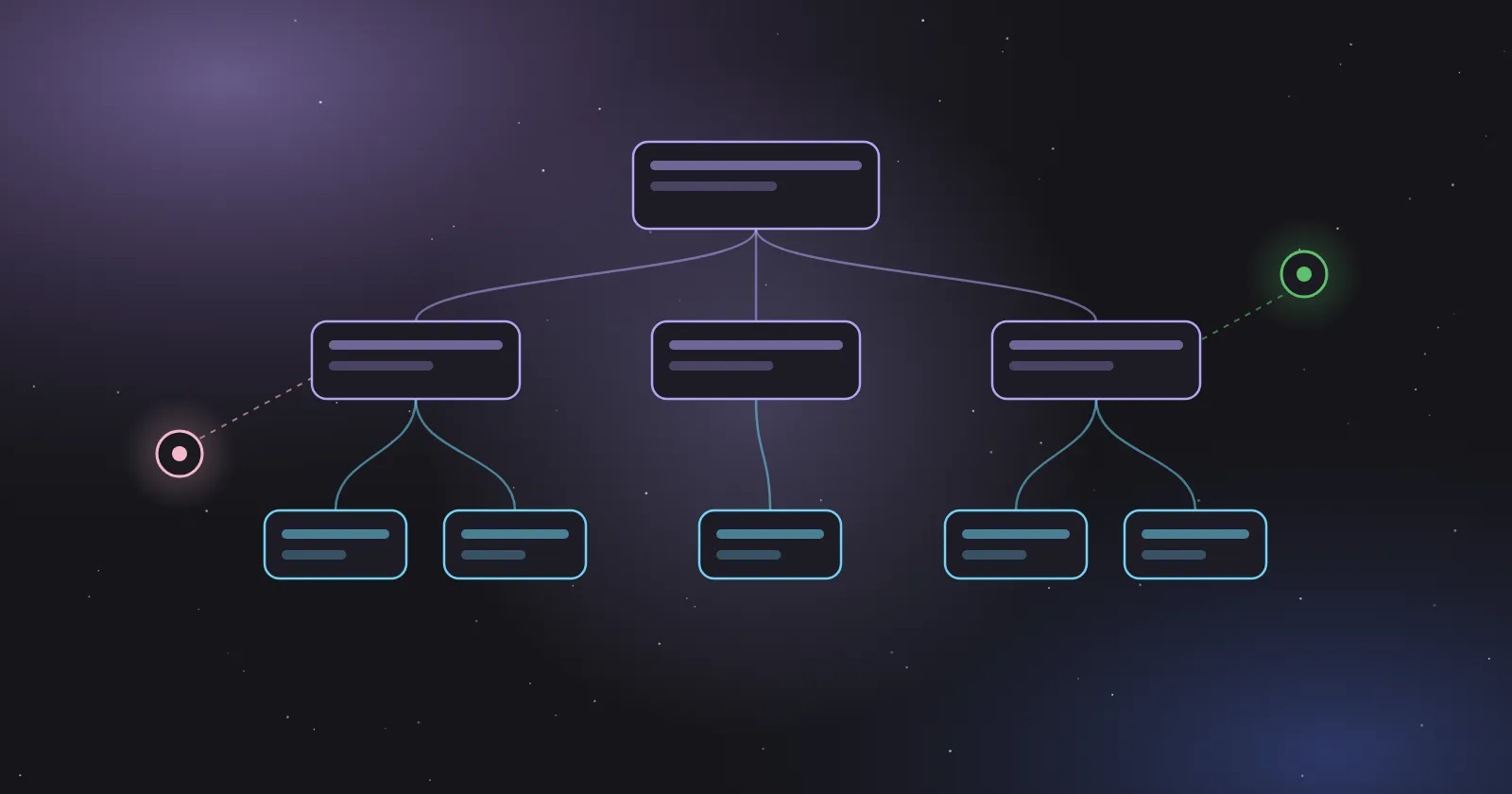
- Access flows downward. Sharing a space shares its pages, and sharing a page shares its subpages. Removing a direct invite leaves inherited access in place.
- Everyone brings their own agent. Collaborators edit the same page, each with their own ChatGPT, tools, memory and instructions. Anything an agent writes onto the page becomes visible to everyone who can open it.
- No public API. The only programmatic surface is the admin Compliance API, which exports pages as NDJSON.
- Missing at launch. Self-updating pages, slides, sheets, mobile editing, user-facing version history and page export.
- Rough first days. A Space-specific incident (“Elevated errors in ChatGPT Space Pages”) opened on September 30 and was still being monitored on October 1.
Names first
OpenAI calls the product ChatGPT Space, or Space for short. Inside it, “a space groups related content”: you get a personal space and can create others for a team or a project. OpenAI’s Teams and admin docs write “Spaces” when they mean several of those containers, and its YouTube description says “ChatGPT Spaces” once. “OpenAI Spaces” isn’t a name OpenAI uses.
Space replaces Library for Pro, Business and Enterprise accounts. Free, Go and Plus don’t get Space and keep Library. Projects stay a separate feature.
The objects
| Object | What it is | Access rule |
|---|---|---|
| Space | The home for your pages, files and other work, replacing Library | Your view of everything you can open in the workspace |
| space | A container that groups pages around a topic or team | Sharing it shares the pages inside |
| Page | A block-based document that people and agents edit together | View or edit (the docs also list comment). Subpages inherit |
| Uploaded file | A file attached inside a page | Follows the page |
| Linked file | A file in Google Drive or another connected app | Keeps the source app’s permissions |
| Sites, spreadsheets, presentations | Things built or generated with ChatGPT, stored in Space | Per item |
| Project | Chats, files and project instructions, as before | Separate from Space. Sharing a project drops personal Space files from its sources |
The admin API offers a hint about storage. Its page export contains “current edit tails, retained checkpoint contents, history, and scratch data”, and its example space object carries a root_page_id, a project_id and "backing_type": "project". Our reading, which OpenAI hasn’t confirmed: a page is stored as an edit log with periodic checkpoints, and a space may be built on the same machinery as Projects.
Inside a page
A page is made of blocks. Type / and you get headings, lists, checklists, tables, code, images, files, subpages and links. Four blocks are specific to working with models:
- Visualize builds an interactive widget, such as a calculator or a diagram.
- Prompt saves a reusable prompt that readers can run.
- Task records work meant for Codex.
- Agent Instructions holds guidance for any agent working on the page.
That last pair is why one OpenAI engineer called Space “AGENTS.md taken one step further.” The instructions live in the document the agents are editing, next to the content they apply to.
To change text, select it and use Ask for change, mention @ChatGPT or @dot inline, or mention them in a comment. People with edit access can work on the same page at once. A Show attribution option shows who contributed, where available.
Two things behave differently from Google Docs or Notion:
- No version history for users. The help center and docs don’t describe one. The Compliance API export does include history, so OpenAI keeps it on the server side.
- Deletes cascade across owners. Deleting a page sends it and its subpages to Trash, “including subpages owned by other people.”
Who can see what
Most of the governance questions come down to where text ends up. OpenAI’s own docs answer most of them:
| Situation | What happens |
|---|---|
| You share a space | Everyone you share it with gets its pages |
| You remove someone’s direct invite to a page | Access they inherit from a parent page or space stays |
| You move a page | Its access can change to match the new parent |
| You link a Drive file on a page | The file keeps its Drive permissions |
| ChatGPT summarizes that file onto the page | The summary is visible to everyone who can view the page |
| ChatGPT uses your memory while writing | That text is visible to the page’s viewers |
| A collaborator’s ChatGPT reads a shared page | It may remember the content, even if your Memory is off |
| A personal-plan collaborator has model training on | Your contributions may be used for training through their interaction |
| An admin disables sharing | New shares and permission changes are blocked. Existing shares stay |
| A member opens a team join link | They join without the team owner approving, and inherit the team’s pages and spaces |
Business and Enterprise data isn’t used for training by default. The access levels aren’t described consistently yet: the docs list view, comment and edit, while the help center and the feature page FAQ mention only view and edit.
The agents in a page
“Each collaborator works with their own ChatGPT.” Two people on the same page can have different connected tools, memories and instructions, and the docs say so directly: collaborators “may use different agents, connected tools, or instructions.”
That’s flexible, and it also makes the page a meeting point for several sets of permissions. OpenAI’s admin guide is direct about the risk:
- “Pages, files, and tool results may contain prompt injections that redirect ChatGPT or disclose information.”
- “Safeguards reduce, but do not eliminate, this risk.”
- “Read-only queries can still disclose data to external services.”
So a page your colleague wrote is untrusted input to your agent, the same way a web page is. If your agent can send email or edit files in connected apps, approvals for those actions matter more inside Space than in a private chat.
Two promises from the launch need care:
- Self-updating pages aren’t here yet. The feature page says pages “can stay updated from your connected tools,” and Sam Altman described it on stage. The docs and help center say “Keep Updated isn’t available at launch.” Every saw a Keep updated toggle in its pre-launch build, so the feature exists and was held back. For now, ask ChatGPT to schedule a task, then check that it ran. The docs warn that writing a cadence into a page “doesn’t by itself confirm that a task is scheduled.”
- Codex in pages is half documented. Marketing says you can tag ChatGPT, Codex or your dot. The docs only document
@ChatGPTand@dot. Task blocks exist; how Codex picks them up isn’t described.
Dots, OpenAI’s always-on agents, “work natively across files in Space,” and you can ask one from ChatGPT, Slack or Teams to keep a page up to date. Dots need a Pro plan or a Business Premium seat. Our Dots guide covers how they run.
Teams and team tasks
In Business and Enterprise, “a team defines who works together. A Space holds the content and context they share.” Team tasks run on a schedule or on events, under the team’s service account, and they don’t inherit the creator’s memories or custom instructions. Our launch post has the setup details. The part to plan for is that a new team member immediately sees the team’s earlier runs and files.
For admins: the Compliance API
The admin API (base URL https://api.chatgpt.com/v1, admin key in the Authorization header) has a “Pages and Spaces” section:
| Endpoint | What you get |
|---|---|
GET /compliance/workspaces/{workspace_id}/pages |
Retained pages owned by the workspace, including archived pages and pages owned by former members |
GET …/pages/{page_id} |
One page streamed as NDJSON: metadata, current edit tails, retained checkpoints, history, scratch data |
GET …/spaces |
Space metadata |
GET …/spaces/{space_id} |
Space metadata, root page title and appearance as NDJSON. Page bodies come from the page endpoints |
Details that matter if you build on it:
- The page list “uses the Pages index and can lag recent changes.” Treat it as eventually consistent.
- Pagination cursors are bound to the workspace and the API key, and expire after an hour.
- Each NDJSON line has a
pathanddata, binary content is base64, and the stream ends with acompliance.workspace.page.export.completedline carrying arecord_count. If that line is missing, the export is incomplete. - Exports don’t require the caller to own the page or have it shared with them.
- An Admin role alone doesn’t grant this. Compliance API permissions are separate.
What developers can build today
Not much inside Space itself. There’s no public API or SDK to create, read or edit pages and spaces, and OpenAI’s plugin docs don’t mention Space or Pages at all.
The nearby surfaces:
- Plugin extensions (OpenAI’s MCP Extensions) add sidebar apps, conversation panels, settings and file viewers or editors for specific file types. They aren’t documented as embeddable in pages.
- MCP Events let a plugin start an automation from an event in a connected app. Support follows a draft spec, requires MCP 2.0 and delivers by webhook only.
- Export is promised for slides, to PowerPoint or Google Slides “with formatting intact.” Pages have no documented export to docx, PDF or Markdown. For comparison, Anthropic’s Claude Docs, released in beta in mid-September, export to Word, PDF, Google Docs and Markdown.
Plans and price
Space has no price of its own. It comes with:
| Plan | Price |
|---|---|
| Pro | $100, $200 or $500 a month |
| Business, Standard seat | $25 per user a month, or $20 billed annually |
| Business, Premium seat | $125 per user a month, or $100 billed annually |
| Enterprise | Through sales |
OpenAI doesn’t restrict Space by Business seat type, so Standard seats appear to include it. That’s our reading. Dots, by contrast, need Premium. Some Korean coverage listed Space under “Business Premium”; OpenAI’s own pages say all Business plans.
Other limits at launch:
- Create and edit on web and desktop. On mobile you can find, read and share pages, but not edit them.
- Business and Enterprise workspaces with data residency in Canada or the UAE get Space later.
- Enterprise sharing is an opt-in preview.
- Edu and Healthcare aren’t mentioned.
The first three days
- September 29: a platform incident hit ChatGPT, Codex and the API from 17:52 to 23:14 UTC. That evening, a Hacker News commenter reported Space was still unavailable and the page threw a JavaScript error.
- September 30: OpenAI opened “Elevated errors in ChatGPT Space Pages”, covering errors creating or using pages and “failures when using Page tools or connecting to live Page sessions.” It was identified at 02:20, mitigated, reported as recovered, and mitigated again. It was still in monitoring on October 1.
- September 30 to October 1: users on OpenAI’s forum reported older generated images missing from Space after the Library migration (they still load in the original chats), a prompt to grant “Spaces” permission mid-task, and a Markdown download link that opened as plain text.
- October 1: three help articles (getting started, sharing and controls, Teams) were updated around 13:00 UTC. Earlier versions aren’t archived, so the exact edits are unknown. Passages that press had quoted on September 30 were unchanged.
Reactions so far:
- Hacker News barely discussed Space. About 4 of roughly 680 comments in the two big DevDay threads mention it, mostly comparing it to Notion. Attention went to Dots and pricing.
- Every used Space before launch and called it “an easy drop-in replacement” for the document editor it had been using. It added: “The challenge is switching costs.”
- Claire Vo wrote on X that Dots were “slightly overhyped and space underhyped,” adding that “every company I know wants an AI-native collaboration workspace.”
- In Computerworld, analyst Jack Gold said “it won’t be easy displacing entrenched users with Office or Google Workspace.” OpenAI didn’t answer Computerworld’s question about business pricing.
Next to Notion, Google and Microsoft
- Notion is the comparison most people reached for, from Axios to Simon Willison’s live blog (“a Notion-style slash menu”). Notion is also one of OpenAI’s launch partners for Sign in with ChatGPT.
- Google Workspace shipped cross-app Gemini on September 9, which can create Docs, Sheets and Slides from Gmail, Chat or Drive. Android Authority’s contrast: Space puts agents inside the workspace, where Gemini assists from the side of each app.
- Microsoft unified its Copilot app in late September and, per Computerworld, lets users create and edit Office documents from it. OpenAI also ships ChatGPT add-ins inside Word, Excel and PowerPoint, so it is on both sides of that line.
- Anthropic released Claude Docs and Slides in beta in mid-September, with real-time collaboration and export, and also without version history.
A rollout checklist
For an engineering org deciding whether to turn Space on:
- Set sharing defaults first. Turning sharing off later doesn’t remove existing shares.
- Pilot in one team space. Watch how inheritance plays out before people build deep page trees.
- Review connectors with summaries in mind. A linked file keeps its permissions. A summary of it on a page doesn’t.
- Decide on memory. Text an agent writes from someone’s memory becomes visible to the page’s viewers.
- Treat pages as untrusted input. Keep approvals on for agent actions that send, delete or share.
- Watch team join links. Anyone in the workspace with the link joins without approval.
- Wire up the Compliance API if you have retention or eDiscovery needs, and check for the completion line on every export.
- Keep critical documents where you have history and export until Pages has both.
- Don’t count on Keep updated. Schedule tasks and verify that they ran.
What’s still missing
- Keep updated (self-updating pages)
- Collaborative slides (“in the coming weeks”) and sheets (“coming soon”)
- Editing on mobile
- User-facing version history and page export
- Sharing pages outside the workspace on business plans
- A public API for pages and spaces
- Documentation for tagging Codex in a page
- Space for Plus, and any word on Edu and Healthcare
Sources
- OpenAI, DevDay 2026 Recap (September 29, 2026)
- OpenAI, ChatGPT Space feature page
- OpenAI Help Center: Getting started with Space in ChatGPT, ChatGPT Space: sharing, data, and controls, Teams in ChatGPT, ChatGPT release notes, About ChatGPT Pro tiers, ChatGPT Business overview
- ChatGPT Learn: ChatGPT Space, Pages, Agents in Space, Collaboration, Manage ChatGPT Space
- OpenAI, Admin API reference (Compliance: Pages and Spaces)
- OpenAI, Plugin extensions and MCP Events
- OpenAI status: Elevated errors in ChatGPT Space Pages (September 30) and launch-day incident (September 29)
- OpenAI Developer Community: missing images after the migration, download links and permission prompts
- Every, Vibe Check: OpenAI DevDay 2026 (September 29)
- TechCrunch, OpenAI’s launch of what feels like ChatGPT’s own office suite (September 29)
- Axios, OpenAI DevDay: dots, Space and Sol (September 29)
- VentureBeat, Dots and ChatGPT Space (September 29)
- Computerworld, OpenAI’s office productivity push (September 30) and Claude Docs and Slides (September 17)
- Android Authority, ChatGPT’s new Space and the copy-paste dance (September 30)
- Google Workspace Updates, Gemini across Workspace apps (September 9)
- Simon Willison, DevDay 2026 live blog (September 29)
- Hacker News, Dots launch thread and DevDay recap thread