Four things an agent harness has to do
A good model is half of an agent. The other half is the harness: the machine it runs on, what it may touch, and where its work goes. Four conditions to check before agents do real work, and a checklist to start with.
On this page
When an agent fails at a real job, the cause is often outside the model. The machine was off. A tool changed overnight. A file went to someone who should not have seen it.
We call everything around the model the harness: the computer the agent runs on, the tools installed there, the files and accounts it can reach, what it is allowed to do, and where its results go. If you want agents to run part of your business, the harness matters as much as the model you pick.
The four conditions at a glance
- On when needed, off when not. You pay for the hours the agent works.
- The same environment every time. Monday’s run and Tuesday’s run start from the same place.
- Outputs shared by permission. Files and small apps reach the right people, and only them.
- Products run in isolation. Anything that serves customers gets an environment of its own.
The rest of this post takes them one at a time, then turns them into a checklist.
1. On when needed, off when not
Agent work comes in bursts. A sales summary at nine, a report draft after lunch, a test run in the evening. In between, the agent waits.
If its machine runs all day, you pay for 24 hours to get about three hours of work. The example below shows one such day.

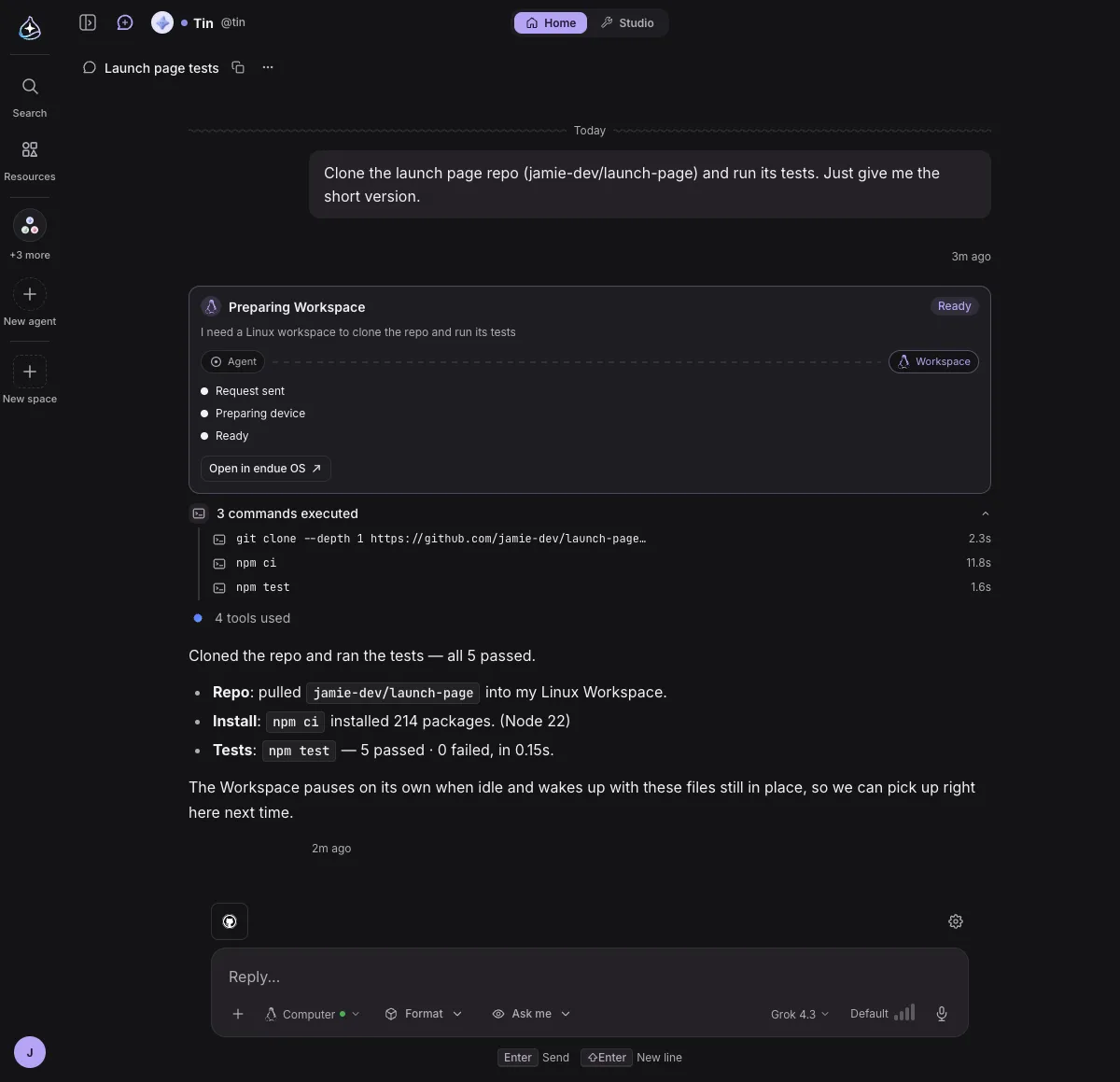
Starting and stopping is the easy half. The harder half is what survives a stop. If the machine forgets its files every time, the agent redoes its setup on every task: it clones the repository again, installs the packages again, logs in again. That is where time and errors pile up.
So check three things:
- Does the machine start by itself when a task arrives?
- Does it stop by itself after a quiet period?
- When it starts again, are the files still there?
2. The same environment every time
An agent that works on Monday and fails on Tuesday, with no change on your side, usually met a different machine. A package updated. A tool moved. A permission changed. A person notices that and adapts. An agent mostly cannot tell what changed, so it guesses.
The fix is to write the environment down: the system image, tool versions, machine size, which files are kept, what the agent may touch, which accounts are connected. Every run starts from that record. When you change it, you change it on purpose and give it a new version.

Accounts and keys belong in the harness too, stored outside the prompt. A key pasted into a prompt travels with every model call and lands in logs.
3. Outputs shared by permission
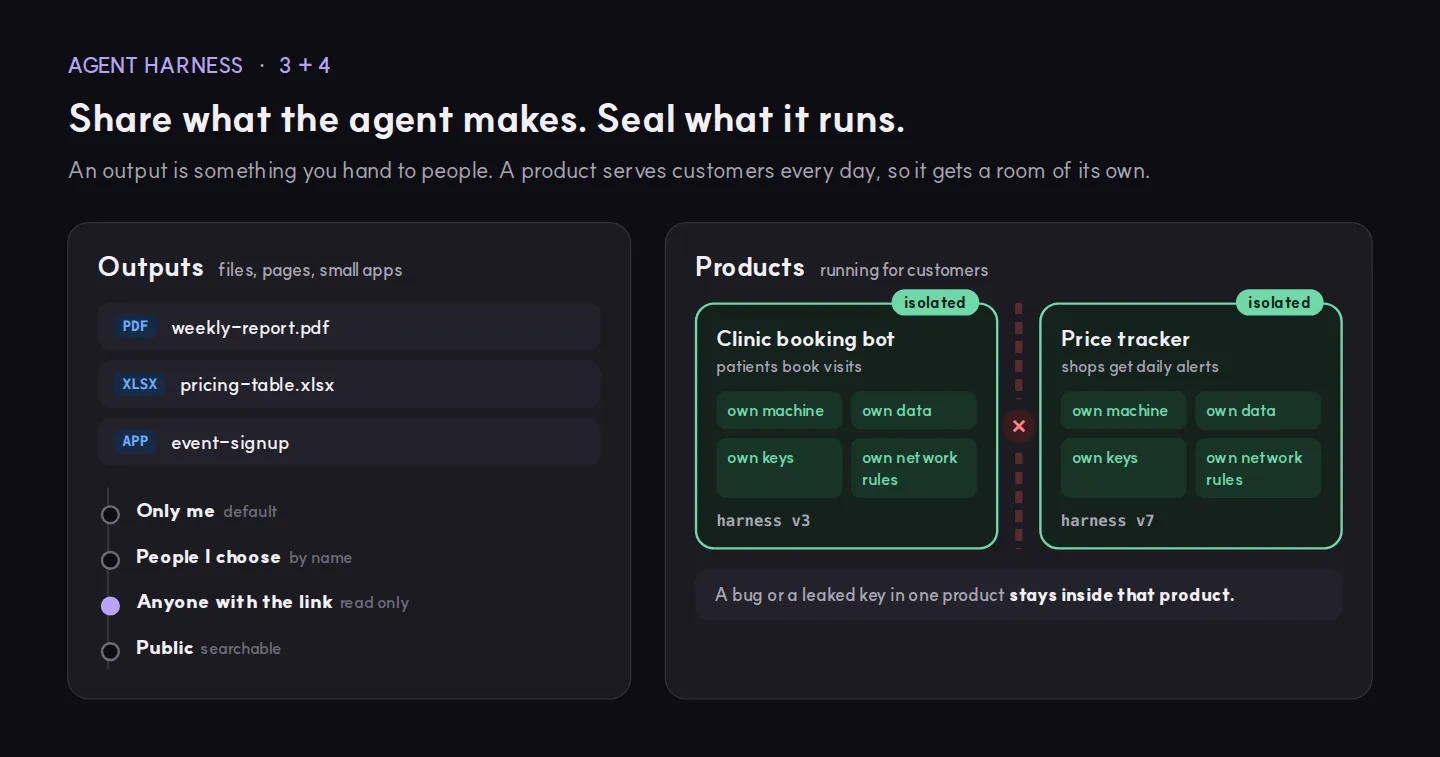
Agents make things for people: a PDF report, a spreadsheet, a signup page. These have to leave the agent’s machine and reach someone. Not everyone, though. A weekly report goes to the team. A draft stays with you until you have read it.
A harness that handles outputs well does three things:
- Every output starts private.
- Sharing is a deliberate step, with a level: people you choose, anyone with the link, or public.
- Each output records which agent made it, so you know whom to ask when something looks wrong.
4. Products run in isolation
Some work outlives the conversation that started it. A booking bot for a clinic. A price tracker that alerts shops every morning. Customers depend on these every day, which makes them products.
A product should run in an environment of its own: its own machine, its own data, its own keys and its own network rules, all set by its own harness. Then a bug or a leaked key in one product stays inside that product, and you can update one without touching the others.
So what should you do?
Take one agent you already run and go through this table.
| Question | If the answer is no |
|---|---|
| Does its machine stop when there is nothing to do? | You are paying for idle hours. |
| Does it start with the same files and tools as last time? | Expect “it worked yesterday” failures. |
| Is the environment written down, with a version? | When a run breaks, you cannot tell what changed. |
| Are keys stored outside the prompt? | They end up in logs and model calls. |
| Are outputs private until someone shares them? | Drafts reach people before you check them. |
| Does each product run in its own environment? | One product’s bug can reach another’s data. |
Start with the first two rows. They are cheap to fix, and they remove a whole class of failures that look random.
Where endue fits
endue OS is our answer to these four conditions. It is in preview. Here is what you can use in endue today:
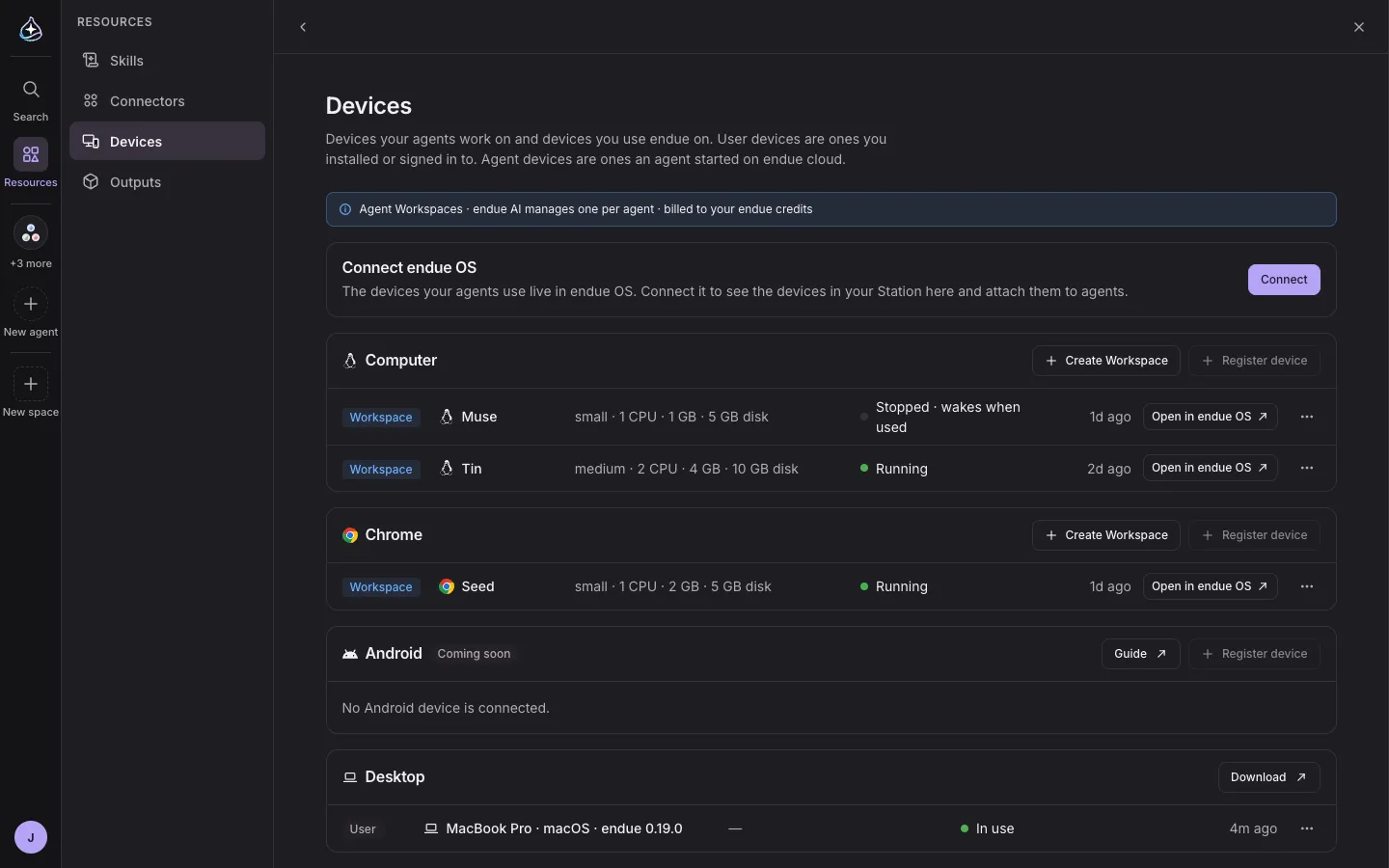
- Each agent gets its own Workspace, a Linux or Chrome machine. It starts when the agent needs it and stops after 15 minutes without use by default. In the endue OS console you can set that anywhere from one minute to 24 hours. The files stay in place, so the next task picks up where the last one ended. You pay in endue credits for the time it runs and for the disk that keeps its files.
- Workspaces start from the same image every time, at a size you choose, such as 1 CPU with 1 GB of memory or 2 CPUs with 4 GB.
- Outputs are private by default. You share one with a read-only link.
What we are building next in endue OS goes further. It will pick the cloud provider and the machine that fit each agent’s needs, either the cheapest or the fastest. It will run products in fully isolated environments under their own harness. And all of your data will stay yours to move elsewhere whenever you like. None of these three is available yet. We will write about each one when it ships.
The Workspace guide is in the docs, and sharing is covered under Outputs. A good first step is one agent, one Workspace and one task you repeat every week. Then open Devices and watch its machine stop and wake.
Try it in endue
Make an agent from one goal
Help me set up an agent that sends me a short briefing on my field every morning at 8.
Free foreverNo card requiredNothing runs until you press Send