UI-less is the ultimate UI
Screens used to be expensive, so everyone got the same one. Building a screen now costs almost nothing. The question left is how to take the fixed screen away, so each person sets things up by intent. How we think about it, and endue Desk.
On this page
For decades, software came with screens someone else designed. A product team picked the menus, the layout and the order of the buttons, and millions of people learned the same screen.
That made sense while screens were expensive. Each one took designers, engineers and months of work, so it had to fit everyone well enough.
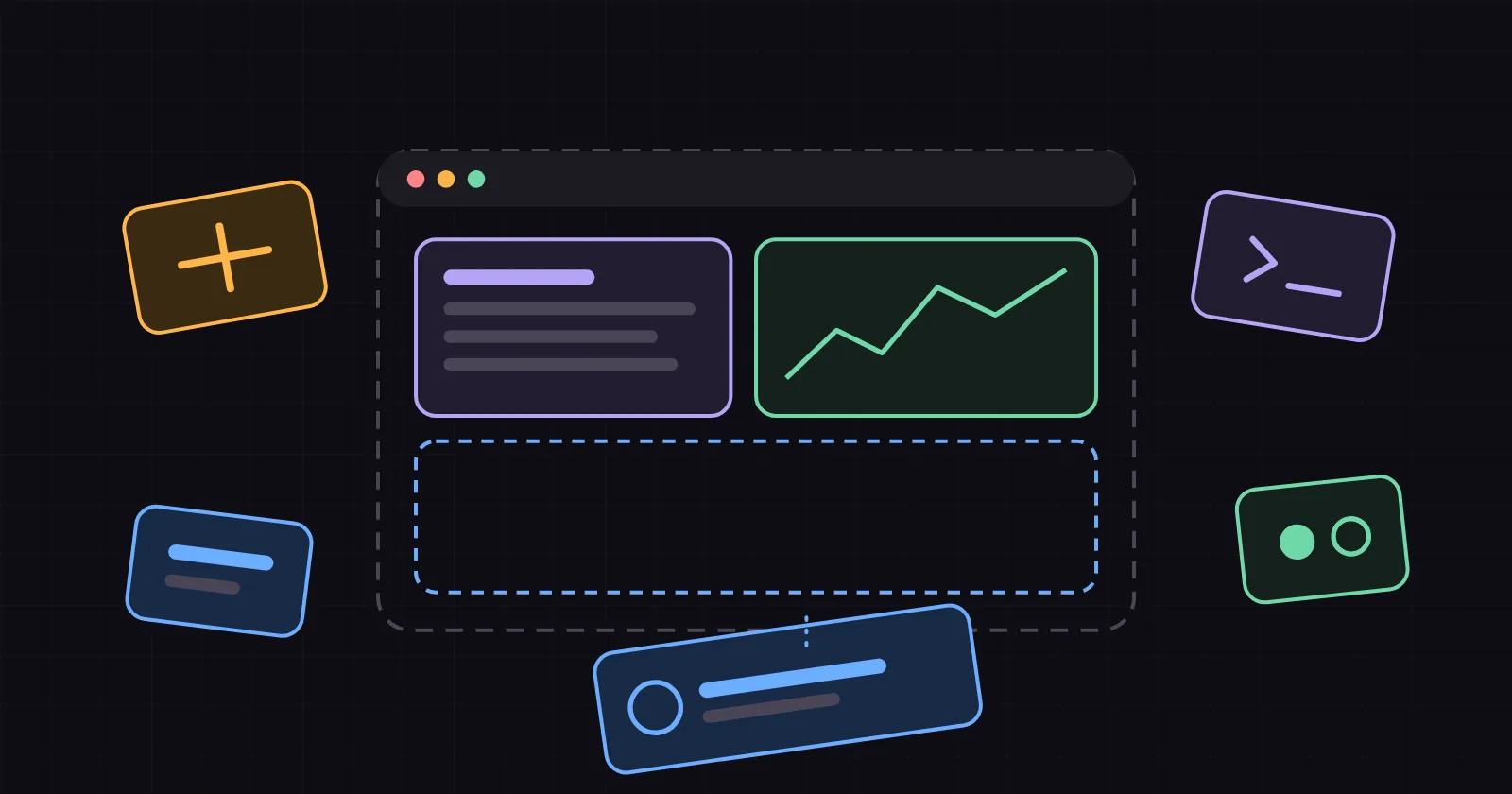
That cost has nearly disappeared. An agent can write a working panel in minutes. So the question changes. Spending another quarter polishing one fixed screen is hard to justify. The better question is how to remove the fixed screen, so each person can set up what they want by saying what they mean.
The short version
- Fixed screens were a cost decision. One design had to serve everyone.
- Building a screen now costs close to nothing. An agent writes it.
- So the screen can follow the person. You state your intent, and the setup follows.
- That only lasts with the right base: a small core, parts you can replace while they run, a permission check on every call, and setups you can share.
1. Why every app looks the same
A fixed screen is an average. It holds the features most people need most of the time, in an order that suits nobody in particular.
You can see the cost in how people work around it. They copy numbers between tabs. They keep five windows open to answer one question. They rebuild the view they need in a spreadsheet next to the app that already has the data.
Nobody did anything wrong here. A screen for one person cost too much.
2. A screen now costs almost nothing
A panel is a few hundred lines of code, and agents write that kind of code quickly. Once a screen costs minutes, the reason to share one design across millions of people gets weak. Each person can have their own.

Look at what the person produced in that example: three sentences. Underneath sit a few lines of settings, plain text that can be read, versioned and handed to someone else.
3. The controls stay, in a different form
When the fixed screen goes, control moves into four properties of the system underneath.
- Everything is a command. A click, a shortcut, a spoken request and an agent all call the same commands. Whatever a person can do, an agent can do too, and the other way round.

- You change it while it runs. Edit one part and only that part reloads. Work in progress carries on.
- It asks before it looks. Every access to files, processes or the network passes a permission check, for people and agents alike.
- Settings are text. You can read what changed, roll it back and share it.
4. Your imagination becomes a feature
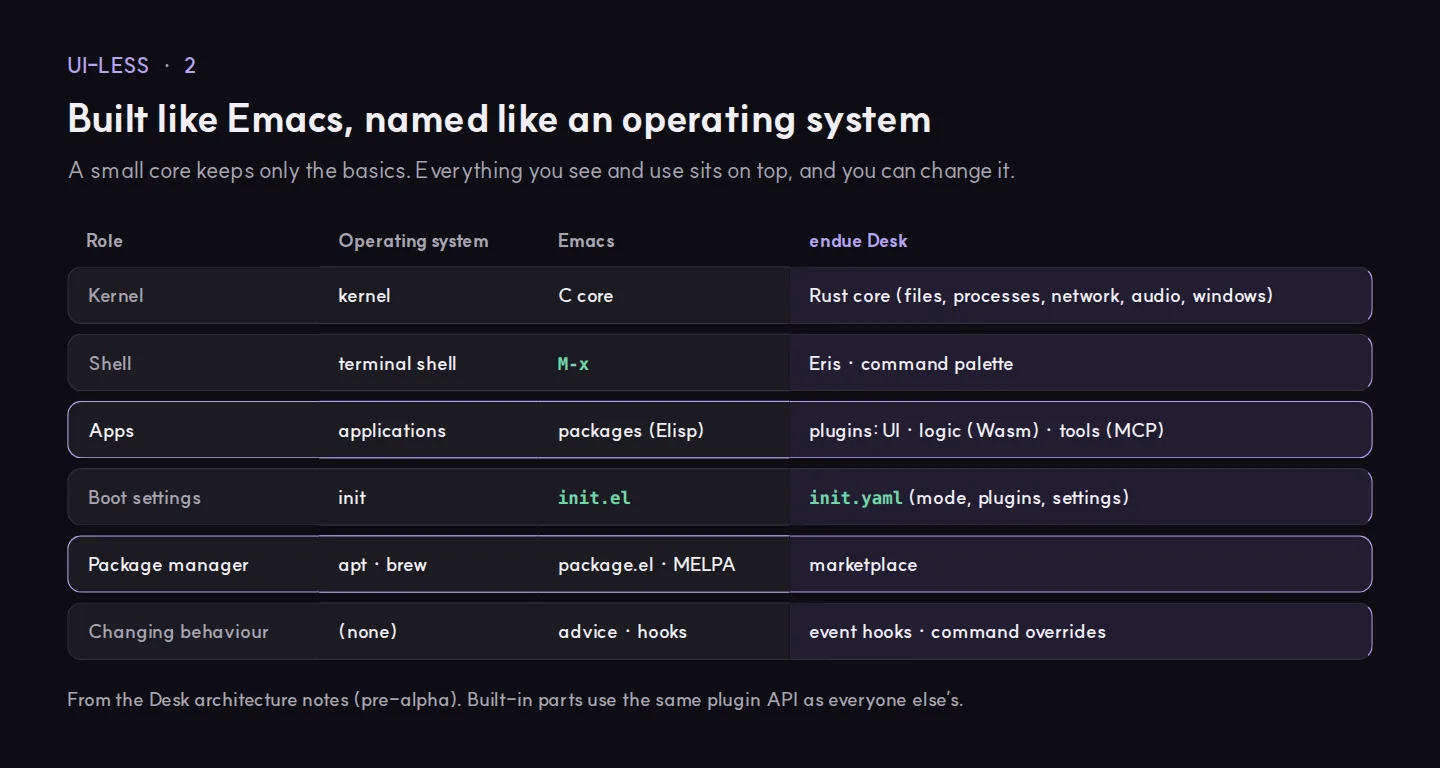
Emacs showed this works. Its core is small, and nearly everything else is code you can change while it runs. Over the years people turned a text editor into mail clients, calendars and planners, and shared them through package archives such as MELPA.
A desktop can take the same shape. When the core keeps only the basics, a new idea is a plugin. A marketplace is where you try your idea, and where you pick up someone else’s.
So what should you do?
You can start before you change any tool.
- List the three screens you open most, and write down what you actually look for on each.
- Rewrite each one as a sentence of intent, such as “show me what is waiting on me next to today’s calendar”.
- Check whether your tools can act on that sentence: through an API, a command palette or an agent.
- Keep your setup as text, in a file you can version and share.
- Before an agent may change your screen, decide what it may see.
endue Desk
We are building endue Desk on these ideas. It is an open-source desktop under the Apache-2.0 license, and nothing on its screen is fixed.
A Tauri shell and a small Rust core hold the basics: files, processes, network, audio and windows. Everything above them is a plugin, the built-in parts included, and you can replace any of them while the app runs. A plugin can be:
- a screen in an iframe
- logic in Wasm
- a tool over MCP
Settings live in init.yaml. Eris and your agents call the same commands you do, and every call passes the same permission check. Desk sends no telemetry.
Desk is pre-alpha today. The code is public at github.com/endue-ai/Desk. A development build opens the desk with Eris, who answers with an echo for now. The app and the marketplace are coming soon.
If there is a screen you would rather not have, write down the sentence that would replace it. That sentence is your first plugin.
Try it in endue
Try it in your account
What can you do for me this week? Give me three ideas I can try right now.
Free foreverNo card requiredNothing runs until you press Send