Agent Builder
Pick a name, a role, a model, and tools on one screen, and your agent gets to work.


Build an agent, hand it real tools, and send it to the channels your team already uses. Here is what ships in our first release.

Pick a name, a role, a model, and tools on one screen, and your agent gets to work.
KakaoTalk, Naver TalkTalk, Slack, Discord, WhatsApp. Your agent answers where your team already talks.
36 integrations including Gmail, Notion, and Jira, plus 70+ skills that teach your agent real work.
Runs on the schedule you set, and files a report when it finishes.
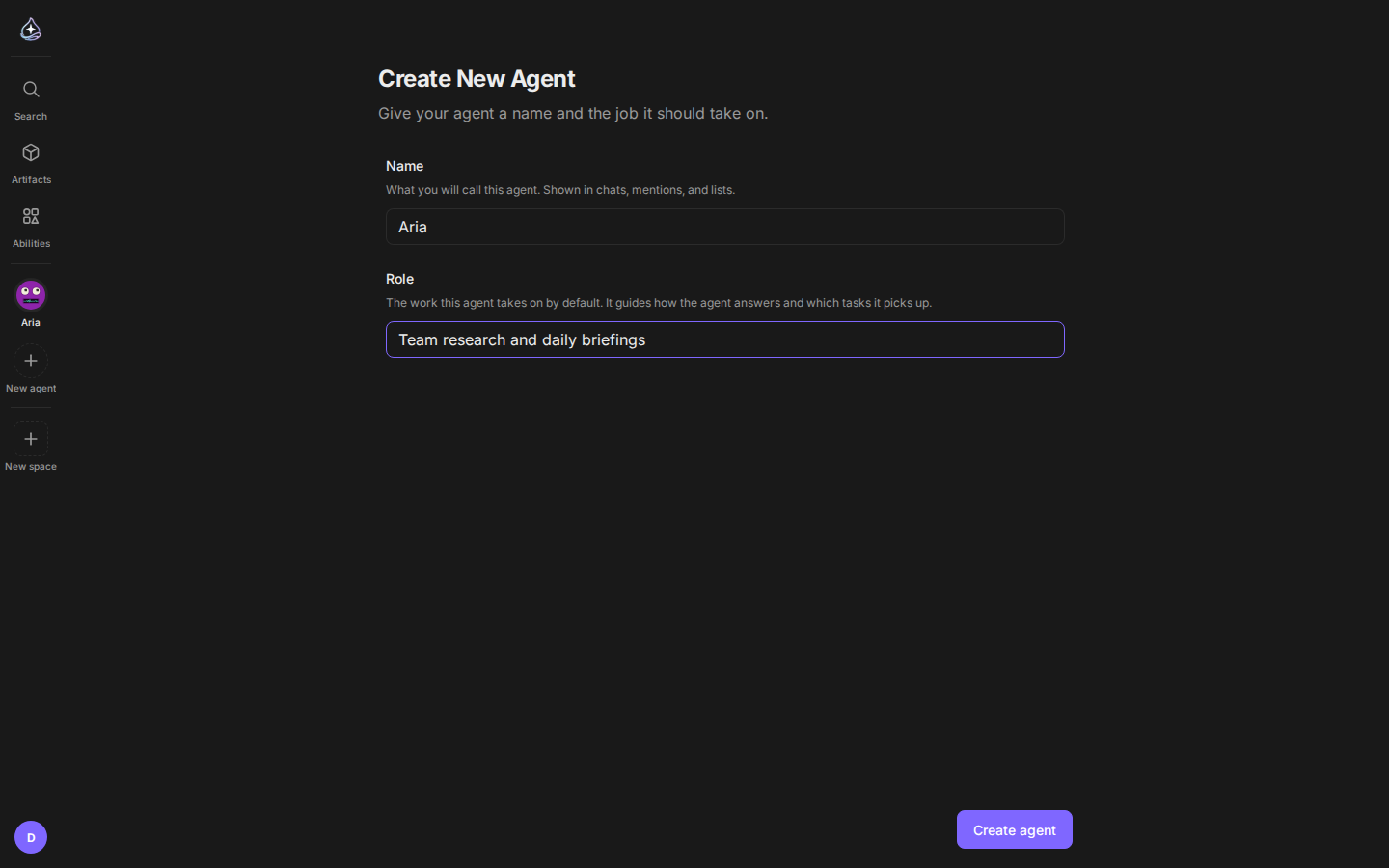
One screen is all it takes. Name your agent, tell it what job it owns, and it starts working. Attach tools and connectors as you go. Each agent can run on a different model, and you can refine its instructions anytime.
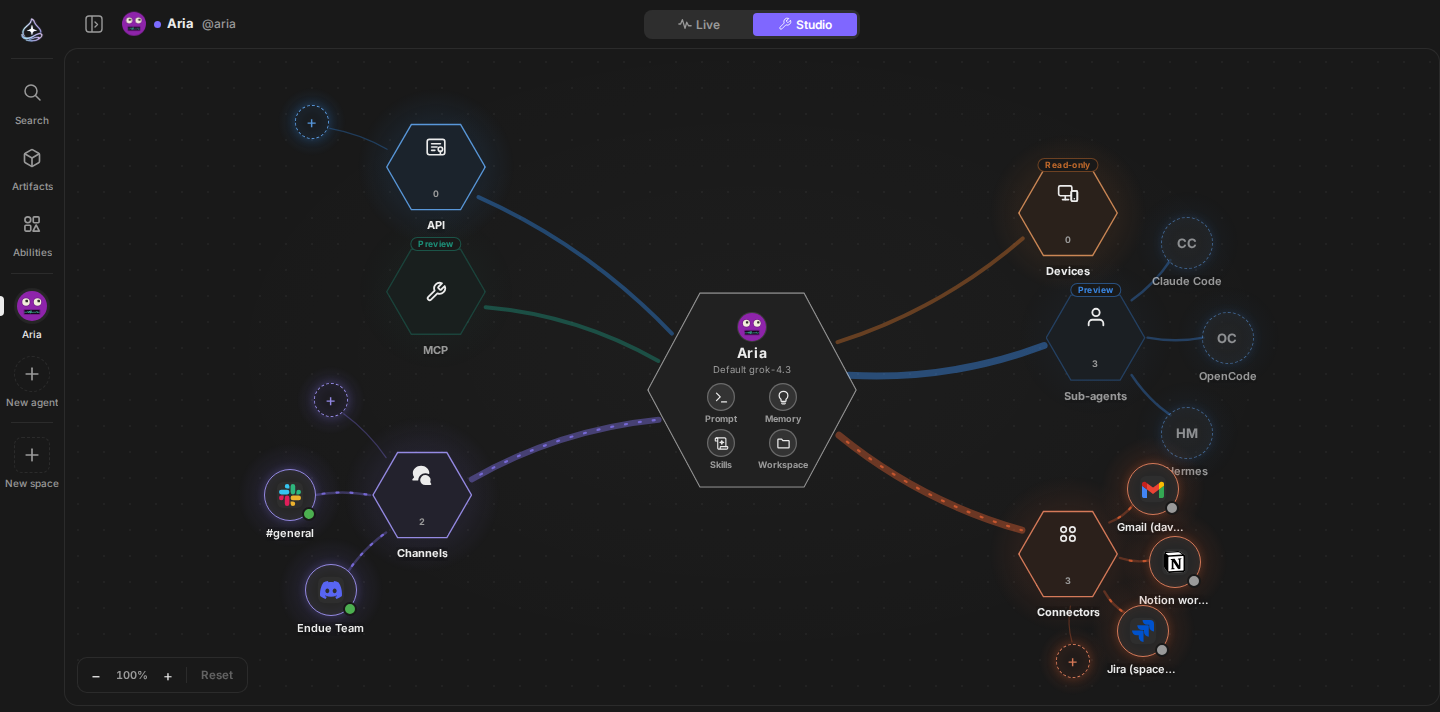
Every agent has a studio. The canvas shows the whole picture at a glance, with your agent at the center and its channels, connectors, skills, and devices around it. Step into any section to tune the details: profile, prompt, memory, traits, and model on one side, abilities and pairings on the other.
Answers stream in live, and runs keep going even if you close the tab. When you come back, the whole run is laid out as a timeline. Anything hard to undo, like sending mail or deleting data, waits for your approval first.
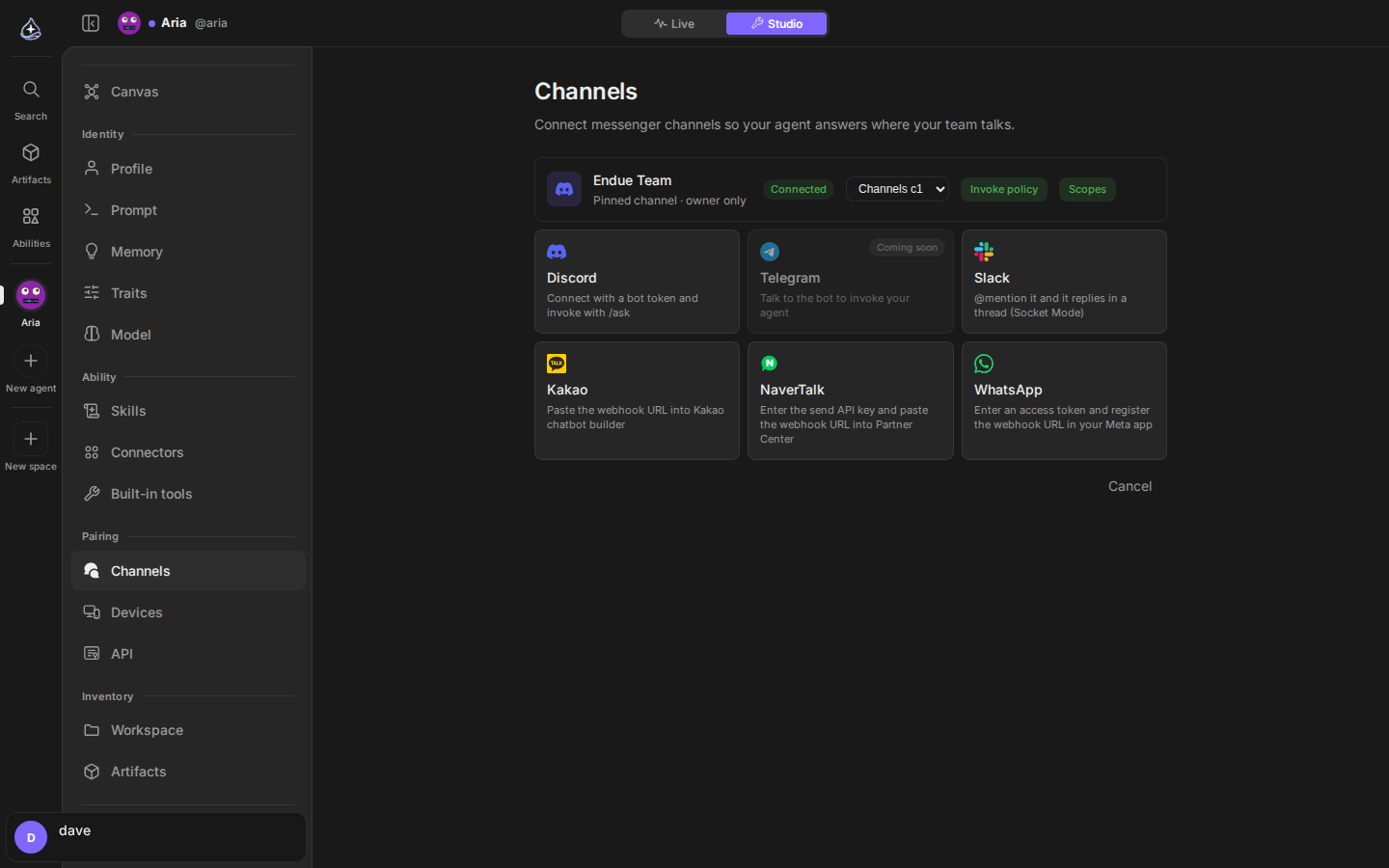
You do not need another app to use your agent. Connect KakaoTalk, Naver TalkTalk, Slack, Discord, or WhatsApp, and it answers right where your team already talks.
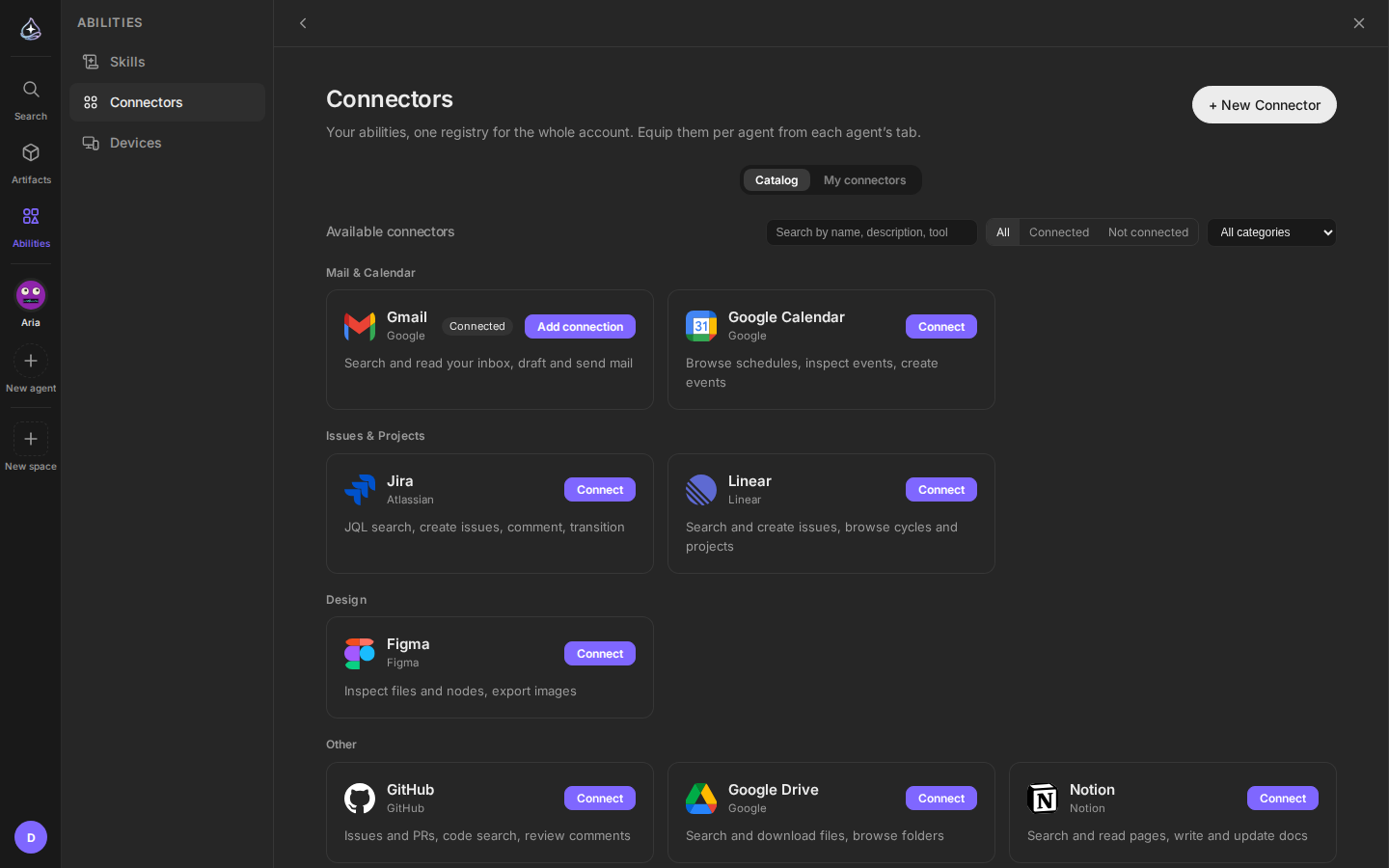
Send mail through Gmail, write docs in Notion, file Jira tickets. Each of the 36 connectors becomes a tool the moment you connect it.
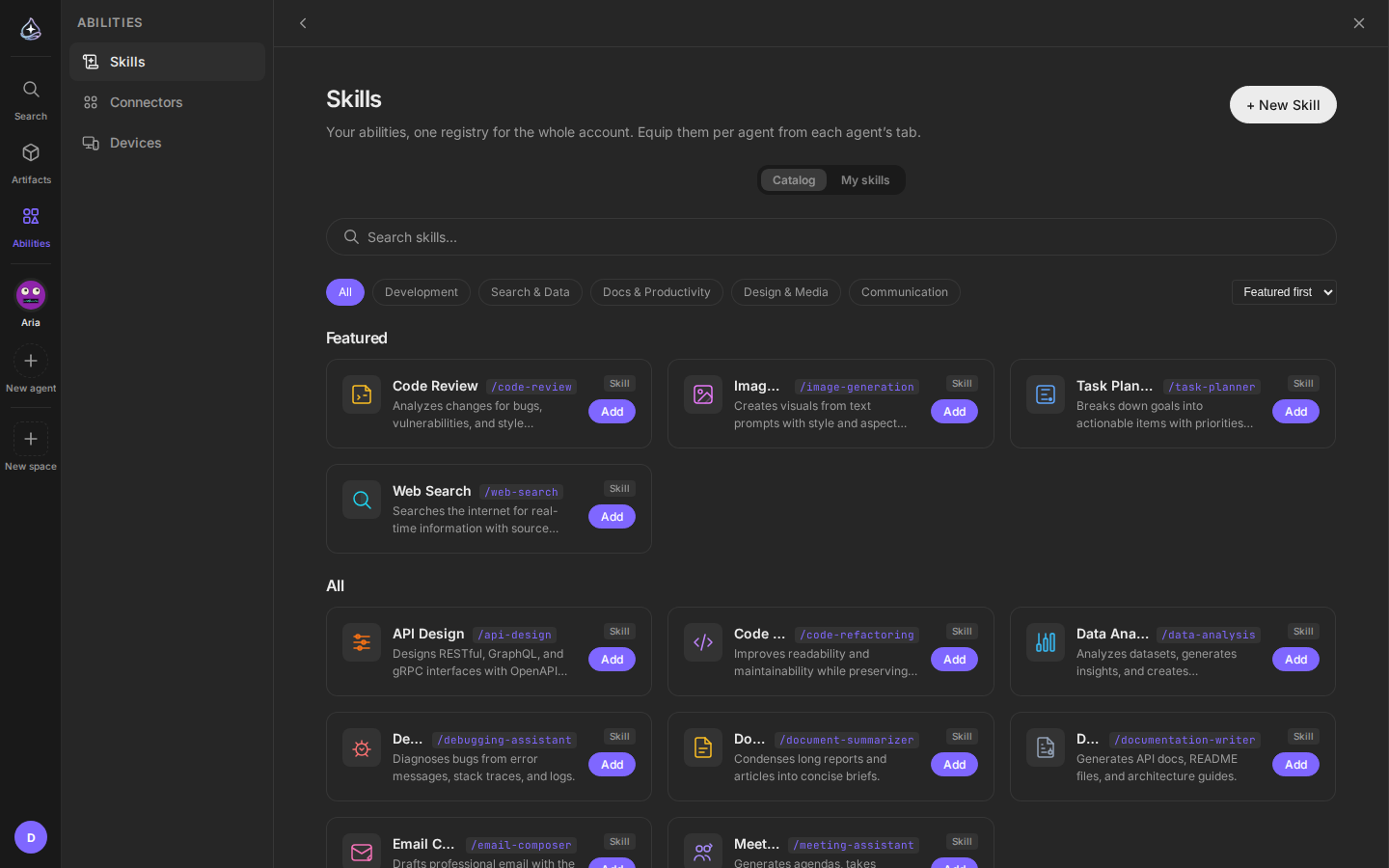
The skill catalog holds 70+ playbooks. Add one and your agent knows how to review code, plan a task, or write the report the way you would.
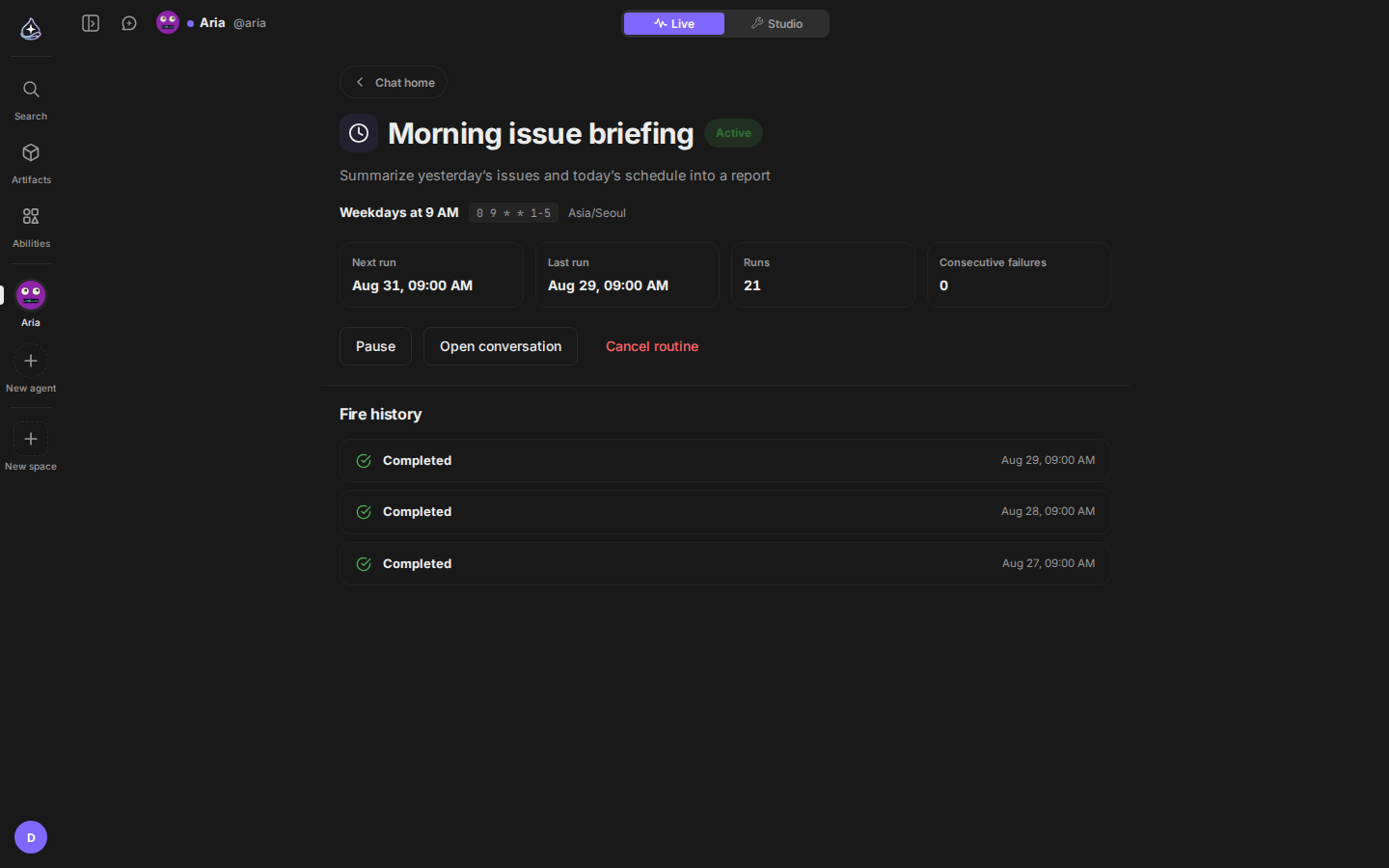
“Every weekday at 9, summarize yesterday’s issues.” Say it once and it becomes a routine. It runs on schedule, and the results pile up as reports.
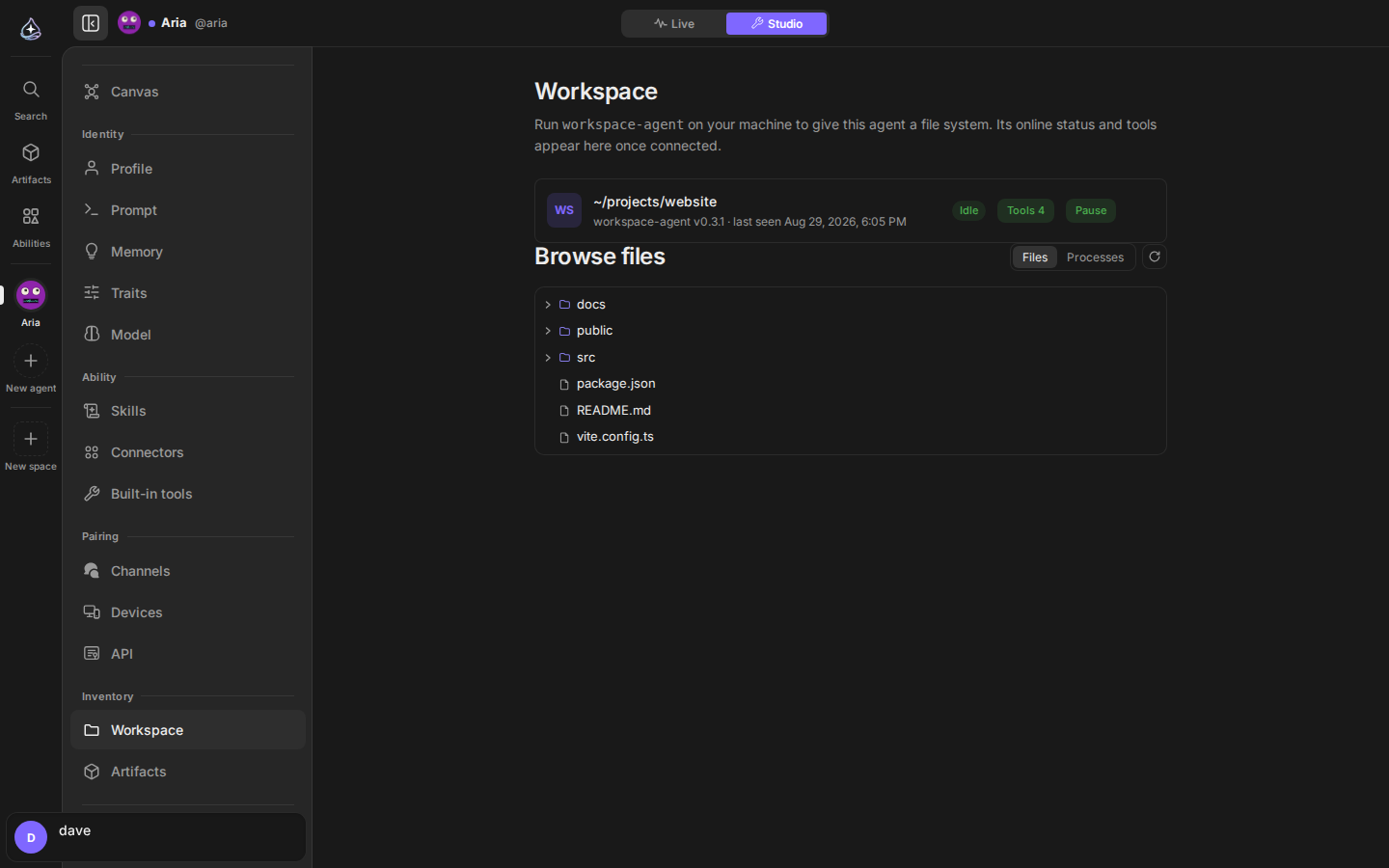
Give your agent a real place to work. Run workspace-agent on your machine and
the agent gets a file system of its own: it browses directories, reads and
writes files, runs commands. Risky operations wait for your approval.
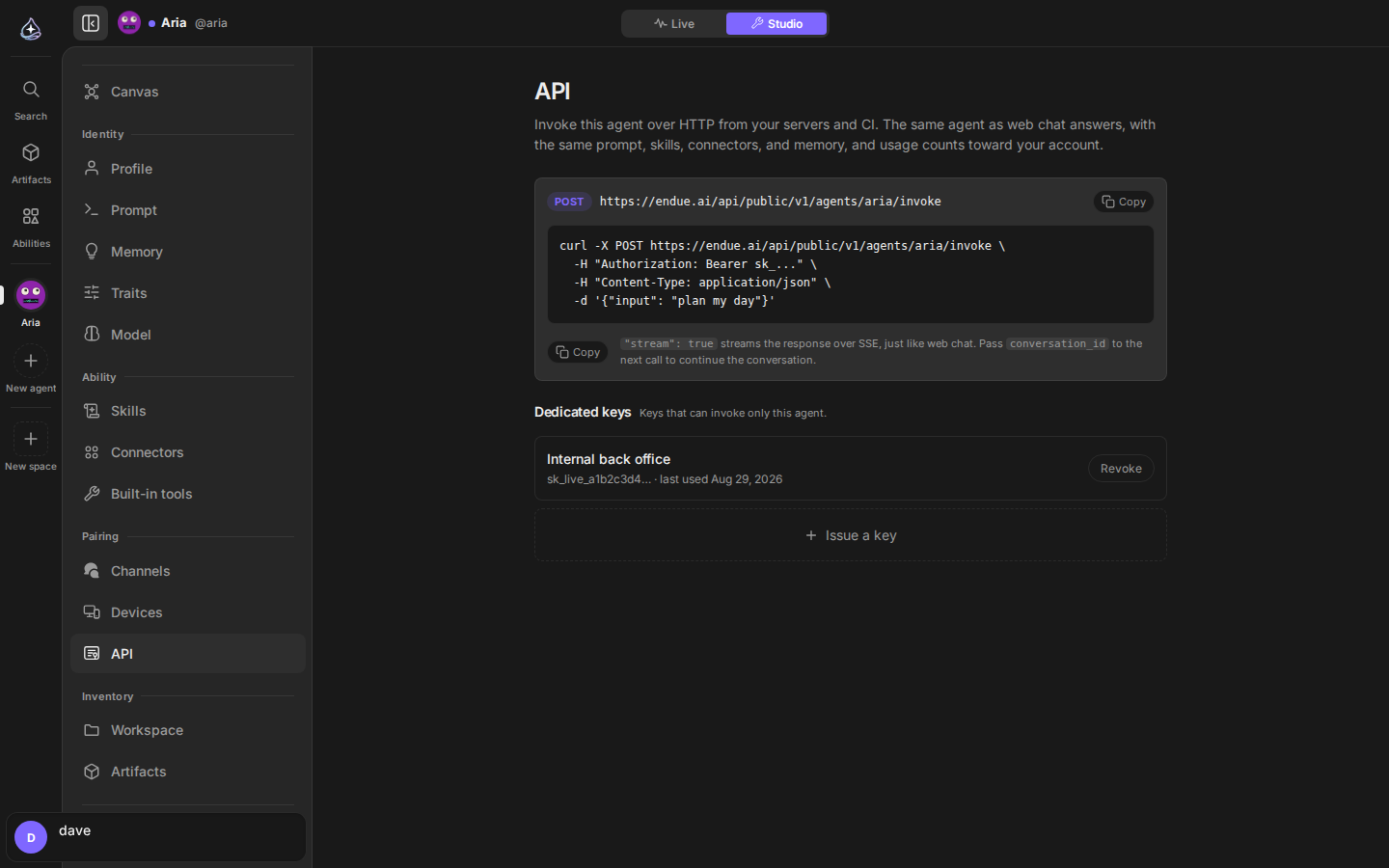
Your agent is one HTTP call away. Issue a key in the studio, POST to the invoke endpoint, and the same agent that answers your chat now answers your server, your CI, your cron job.
Documents, tables, and pages your agent produces are kept as artifacts after the conversation ends. When one grows into multiple files, promote it to a standalone mini app.
Your agent remembers what it learns in conversation and uses it next time. Create a project and its instructions, memory, and materials stay scoped to that work.
Start free, no card required. Every plan includes a weekly usage allowance that resets each Monday, and you can scale up on the pricing page when you need more.