

Available connectors
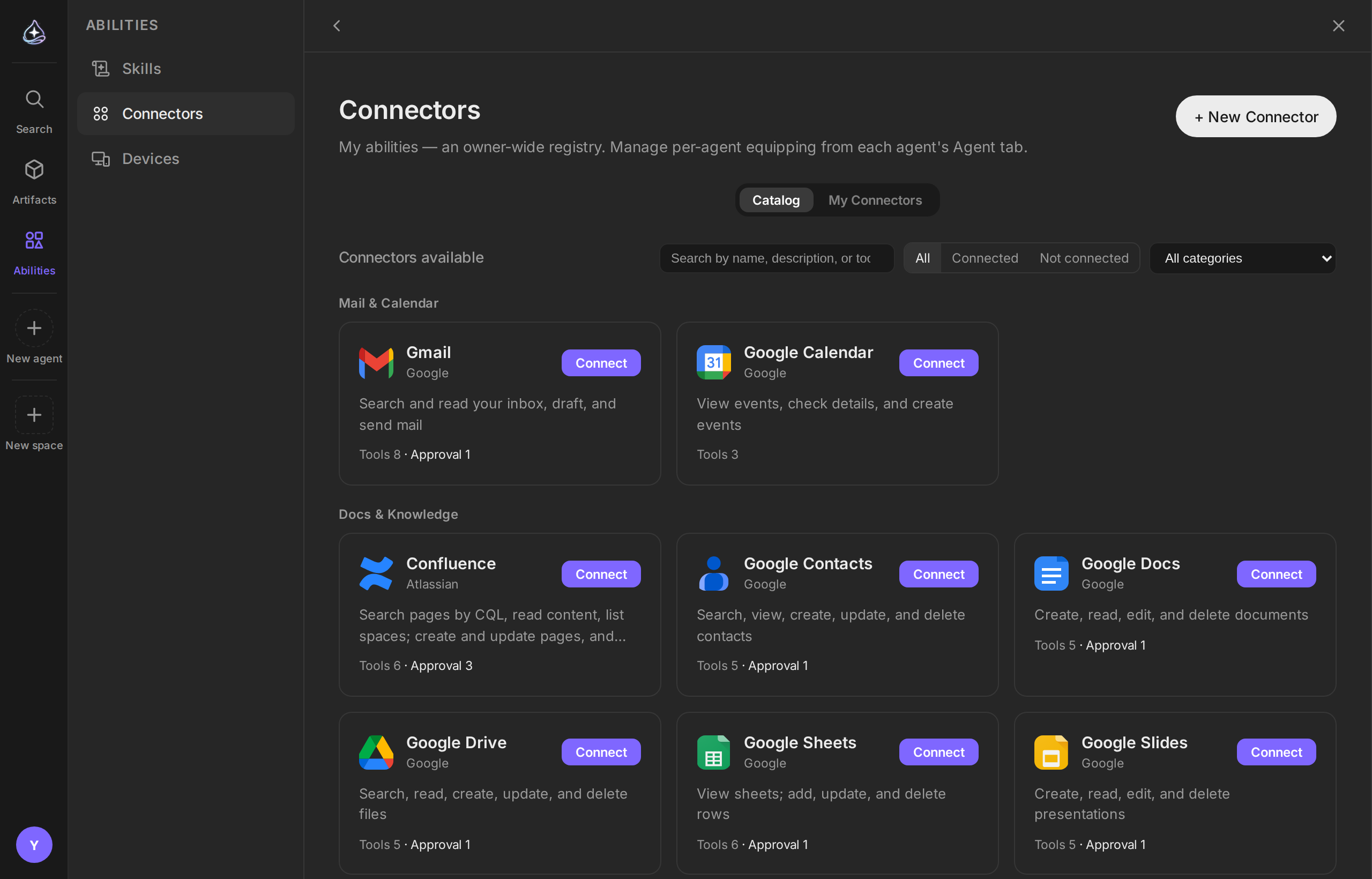
Endue connects to 34 services. This page is the catalog: what each one lets an agent do, and how you authorize it.
How to read the table
Sign-in is how you authorize the connection:
| Method | What you do |
|---|---|
| OAuth | Sign in at the provider and approve access on their consent screen |
| Token | Create an API credential in the provider’s settings and paste it into Endue |
| Token + address | The same, plus the address of your own installation — for self-hosted services |
| Sign-in + address | Your own installation, with a username and an application token |
A few services ask for one extra field — a region, an email, a second key. The form names each one when you connect.
Approval lists the operations that stop for your approval — anything that sends something outward or deletes data. Read and write operations run without interrupting you.
Mail and calendar
| Service | An agent can | Sign-in | Approval |
|---|---|---|---|
| Gmail | Search and read your inbox, draft, and send mail | OAuth | Send |
| Google Calendar | View events, check details, and create events | OAuth | — |
Docs and knowledge
| Service | An agent can | Sign-in | Approval |
|---|---|---|---|
| Google Drive | Search, read, create, update, and delete files | OAuth | Delete |
| Google Docs | Create, read, edit, and delete documents | OAuth | Delete |
| Google Sheets | View sheets; add, update, and delete rows | OAuth | Delete |
| Google Slides | Create, read, edit, and delete presentations | OAuth | Delete |
| Google Tasks | View, create, complete, and delete tasks | OAuth | Delete |
| Google Contacts | Search, view, create, update, and delete contacts | OAuth | Delete |
| Notion | Search pages and databases, read content, create and append to pages | OAuth | — |
| Confluence | Search pages by CQL, read content, list spaces; create and update pages, and comment | OAuth | Create, update, comment |
See Gmail and Google Workspace for the details that matter in practice.
Communication
| Service | An agent can | Sign-in | Approval |
|---|---|---|---|
| Slack | List channels, view conversation history, threads, and search; send messages | OAuth | Post |
| Mattermost | View teams, channels, conversation history, threads, and search; post messages | Token + address | Post |
| Telegram | View messages received by the bot and chats; send messages | Token | Send |
| Discourse | Search the forum, read topics, list categories; post topics and replies | Token + address | Post, reply |
These let an agent read and write in a chat service as part of its own work. For the other direction — people talking to an agent from Slack, Discord, KakaoTalk, NaverTalk, or WhatsApp — see Channels.
Issues and projects
| Service | An agent can | Sign-in | Approval |
|---|---|---|---|
| Jira | Search issues by JQL, view details, list projects and transitions; create issues, comment, and transition status | OAuth | Create, comment, transition |
| Linear | Search and view issues; create issues, comment, and update them | OAuth | Create, comment, update |
Development and deployment
| Service | An agent can | Sign-in | Approval |
|---|---|---|---|
| GitLab | View projects, issues, merge requests, and pipelines; create issues and comment | Token + address | Create, comment |
| Jenkins | View jobs, build status, and console logs; trigger builds | Sign-in + address | Trigger |
| Vercel | View projects, deployment status, and build logs; redeploy and promote to production | Token | Redeploy, promote |
| Cloudflare | View zones, DNS, Workers, and Pages deployments; purge cache | Token | Purge |
| LaunchDarkly | View projects, environments, feature flags, and audit logs; toggle flags | Token | Toggle |
Observability and incidents
| Service | An agent can | Sign-in | Approval |
|---|---|---|---|
| Datadog | View monitors, logs, metrics, and events; mute monitors | Token | Mute |
| Grafana | View dashboards, data sources, and alerts, query metrics and logs, create annotations, and silence alerts | Token + address | Silence |
| PagerDuty | View incidents, on-call schedules, and services; acknowledge, resolve, and add notes | Token | Acknowledge, resolve, note |
| Elasticsearch | View indices and mappings, search and aggregate documents | Token + address | — |
Elasticsearch is read-only by design — an agent can investigate your data and cannot change it. It also works against OpenSearch.
Social and publishing
| Service | An agent can | Sign-in | Approval |
|---|---|---|---|
| WordPress | Search and read posts, create and edit drafts, and publish | Sign-in + address | Publish, update published |
| Search subreddits and posts, read comments, and submit posts and comments | OAuth | Post, comment | |
| View pages, posts, and reactions; publish page posts and comments | OAuth | Post, comment | |
| View profile, posts, and comments; reply to comments and publish images | OAuth | Reply, publish |
Commerce and maps
| Service | An agent can | Sign-in | Approval |
|---|---|---|---|
| Shopify | View products, orders, and customers; create draft products and publish them | Token + address | Publish |
| Naver Smart Store | View products, orders, and customer inquiries; mark orders as shipped and answer inquiries | Token | Answer, dispatch |
| Naver Map | Convert between addresses and coordinates, and look up driving routes | Token | — |
Design
| Service | An agent can | Sign-in | Approval |
|---|---|---|---|
| Figma | View file structure and nodes, export images, view and post comments | OAuth | Comment |
| Canva | Search designs, view details, browse folders, export files, create designs, and upload assets | OAuth | — |
Channel-only connections
Two entries in the catalog give an agent no tools at all. They exist so a messaging platform can reach in:
| Entry | What it is for |
|---|---|
| Kakao Builder | Receives messages from the KakaoTalk chatbot builder skill webhook and replies through the one-time callback URL |
| NaverTalk Bot | Receives messages from the TalkTalk event webhook and replies through the Send API |
Both are set up as channels, not as connectors bound to an agent.
Limits
- This list is what exists today. A service that is not here cannot be reached by an agent, and there is no generic “call any API” connector.
- Each connector exposes a fixed set of operations — the ones summarized above. An agent cannot use parts of a provider’s API that Endue does not expose.
- Self-hosted services (Token + address, Sign-in + address) must be reachable from the internet.
- What an agent can actually do is the intersection of these operations and the permissions you granted at the provider.