

Canvas
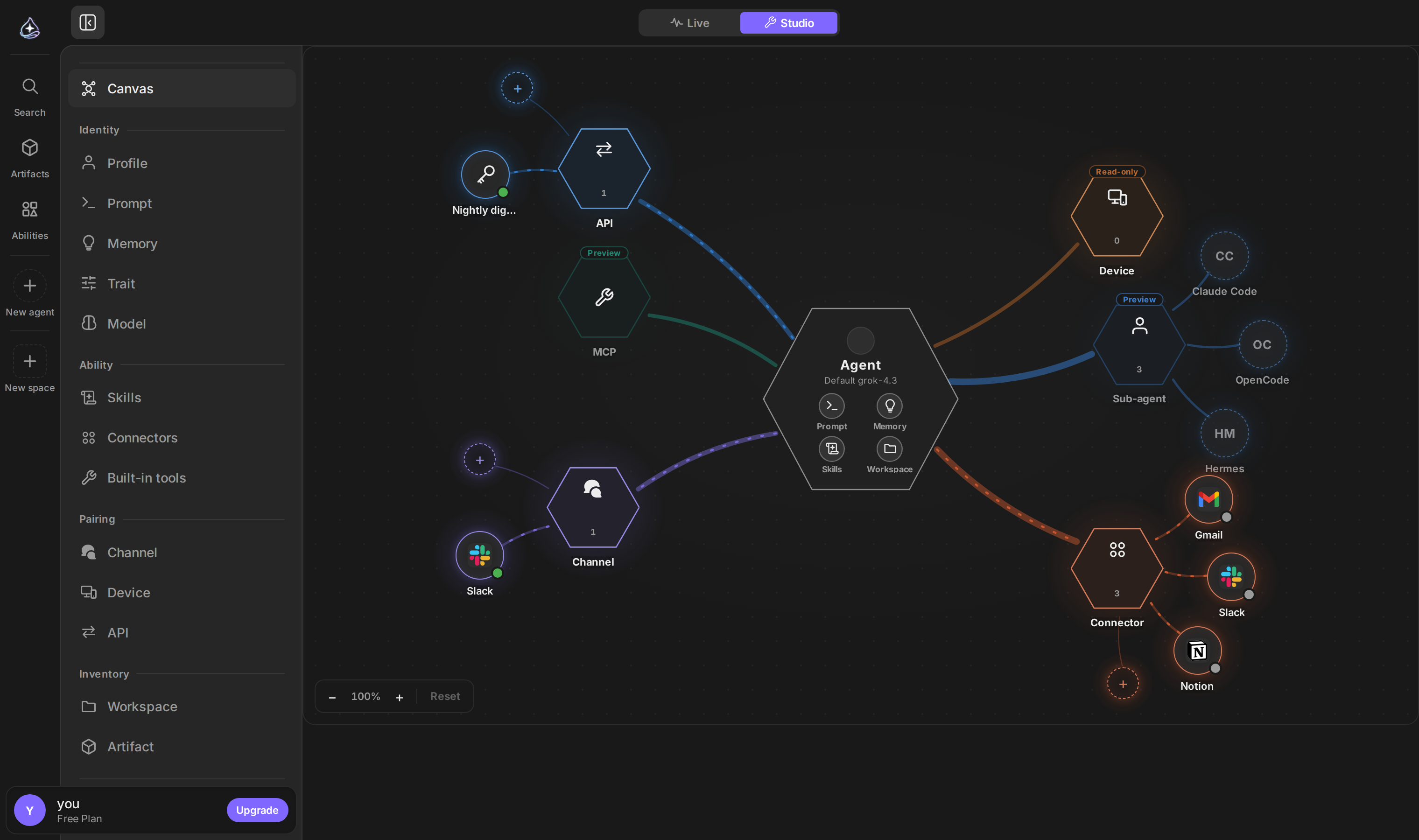
The canvas draws an agent and everything attached to it: the skills and connectors it can use, the channels it answers on, the workspace it owns. It is the same configuration as the Agent Builder sections, seen all at once.
When to use it
Open the canvas when you want to know what this agent actually is rather than change one setting — before handing it a channel, when a colleague asks what it can reach, or when an agent behaves in a way its prompt does not explain.
Use the sections when you know what you are changing. The canvas is for looking.
Reading it
The agent sits in the middle. Around it are the things bound to it, grouped by kind — resources, pairings, inventory. An axis with nothing on it still appears, so the gaps are as visible as the connections.
Selecting a node opens the same panel the corresponding section uses, so you can go from “what does this agent have” to changing it without leaving the map.
Limits
- The canvas shows one agent. There is no view across all your agents.
- The default Setup tab reflects configuration: what the agent can reach. To see how much each path was used on the same picture, open the Usage tab at the top of the canvas. See Analytics.
- Editing still happens in panels. The canvas is a way in, not a separate editor.