

Learning mode
Learning mode is a call where you teach one agent your phrasing and conversational habits.
When to use it
Use it when you would rather demonstrate your style than write instructions. Your agent uses the approved style in console calls and Live voice replies.
How
-
Open Voice playbook under Live in Agent Builder and choose Start. You can also open Learning mode from call settings. Read what is learned and what is retained before starting.
-
Answer scenes about introductions, requests, declining, explaining, reacting, and phone calls in your own words. When the agent tries your style, confirm or correct it. After two scenes, choose Stop and review to finish early.
-
In Here is what I learned, enable, disable, and edit rules. Check their evidence and select frequent phrases. Choose Make comparison, listen to answers to the same question before and after learning, then Save.
-
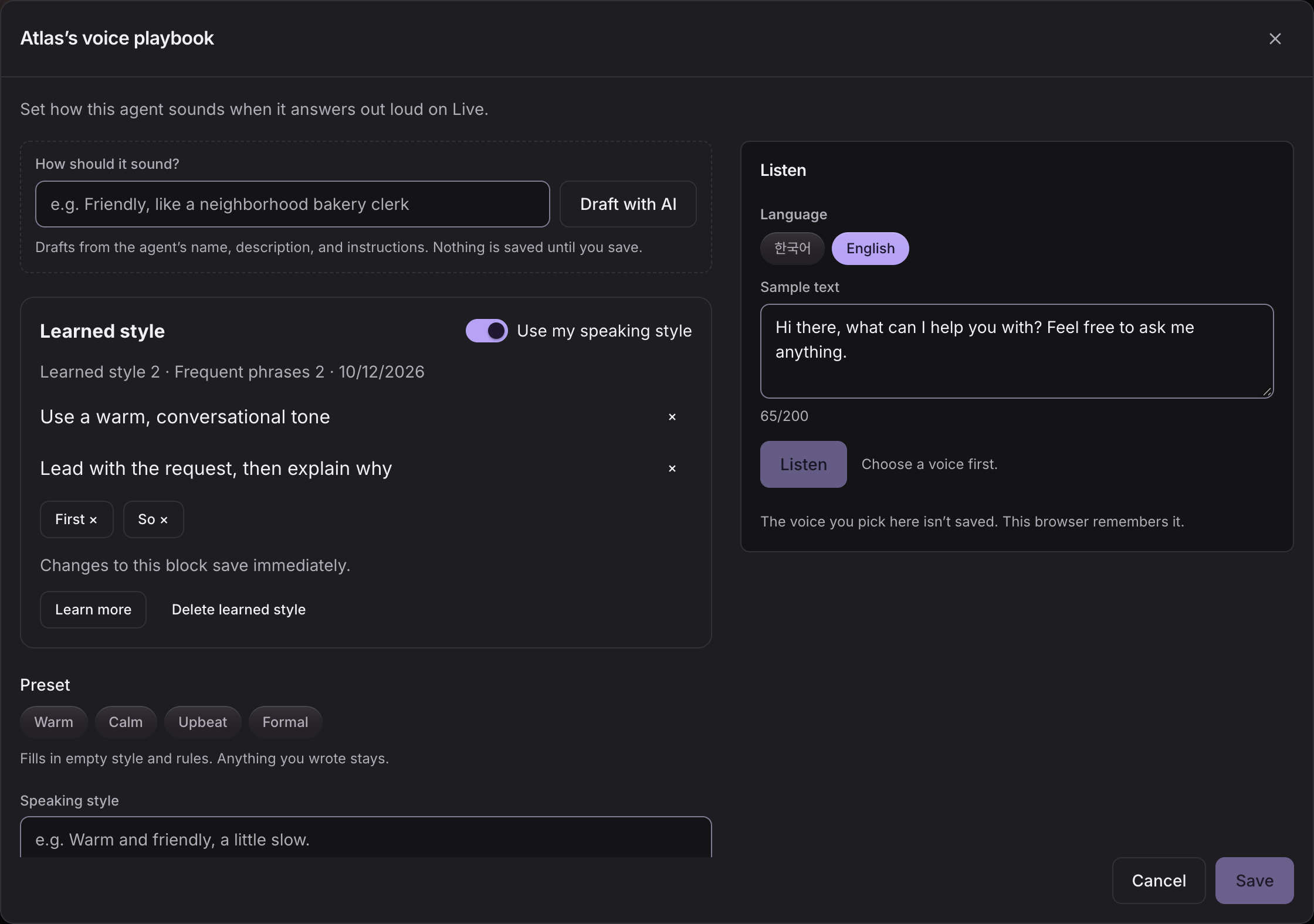
In the playbook’s Learned style block, turn off Use my speaking style or remove individual rules. Delete learned style removes only the learned block. Learn more resumes after saved scenes.
Limits
- Your account needs access to learning calls and microphone permission. The entry explains why a call cannot start.
- This stage learns phrasing, sentence length, and conversational order. It does not learn vocal timbre, intonation, or pace, and does not change text-chat style.
- Audio is not saved and the transcript is not added to conversation history. Transcript and evidence disappear when you close the dialog. Only approved rules, phrases, answer length, and completed scenes are saved.
- Analysis needs at least four owner replies and 150 characters. Short sessions may need more speech. Ordinary calls do not learn automatically.