

Built-in tools
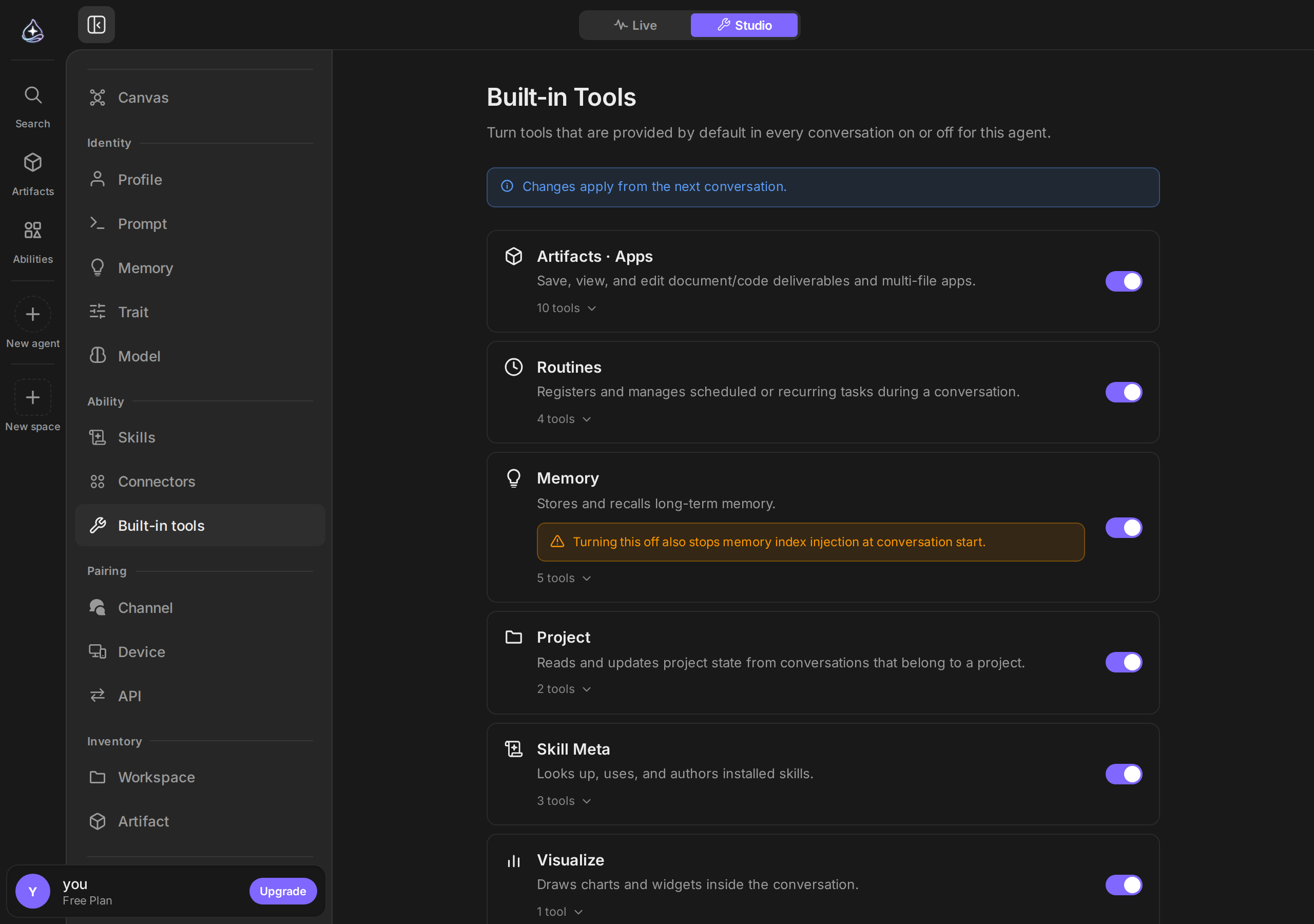
Built-in tools are the capabilities an agent has before you connect anything. They are grouped, and each group can be switched off for an individual agent.
When to use it
You rarely turn these on — they are on by default. You turn them off to narrow an agent. An agent that should only summarize what you paste into it does not need to fetch web pages; an agent that should never schedule anything does not need schedule tools.
The groups
| Group | What the agent can do |
|---|---|
| Outputs | Save, list, read, update, and delete outputs |
| Schedules | Create and manage schedules from inside a conversation |
| Memory | Remember, recall, update, and forget — see Memory |
| Projects | Read and update the project a conversation belongs to |
| Skill tools | Look through installed skills, use one, or author a new one |
| Visualization | Draw a chart or widget inline in the conversation |
| Web fetch | Read the contents of a URL |
| Utility | Precise arithmetic and the current time |
| Devices | Prepare an endue Computer or endue for Chrome when a task needs one — see Devices |
Turning off Memory also stops the agent’s memory index being loaded at the start of a conversation — the group is the whole capability, not just the tools.
Always on
A few tools are infrastructure for the conversation itself and cannot be turned off:
- Asking you a question — options or free text.
- Requesting a skill it has not been given.
- Sending you a one-line notification. This tool exists only during runs of a schedule set to Only when the agent notifies.
An agent that could not ask you anything would guess instead, which is worse in every case.
Limits
- Built-in tools are per agent. Turning a group off for one agent does not affect others.
- Turning a group off applies to the agent’s next run.
- Built-in tools do not reach your accounts. Anything touching Gmail, Slack, Notion, or another service comes from a connector, not from here.
- Web fetch reads pages that are publicly reachable. It is not a browser and does not sign in anywhere.
Related
SkillsCapabilities you add, rather than ones that ship on.
Connectors overviewTools that reach your actual accounts.
Testing and iteratingWhere narrowing an agent's tools fits in tuning it.