

Run a team assistant inside your Discord server
Invite an agent to your Discord server so anyone on the team can hand off questions, summaries, and research with a single mention.
If your team already talks on Discord, you can bring the agent into Discord instead of opening a separate app. Once connected, anyone can ask questions with an @agent mention in any channel, and answers come back as a thread in the same channel. The agent runs in the cloud, so there is no server to host and no program to keep running.
Good for teams that
- Need a desk that fields recurring questions (onboarding, internal rules, product specs) instead of a person
- Want to summarize long meeting-channel conversations or hand off link research on the spot
- Want several agents split by role (dev Q&A, ops, research) and stationed in different channels
What you need
- An endue account and one agent (the free plan is enough to start)
- A Discord server where you can invite bots
Connect
- In endue, open the agent you want to connect and go to Studio → Channels, then choose Discord.
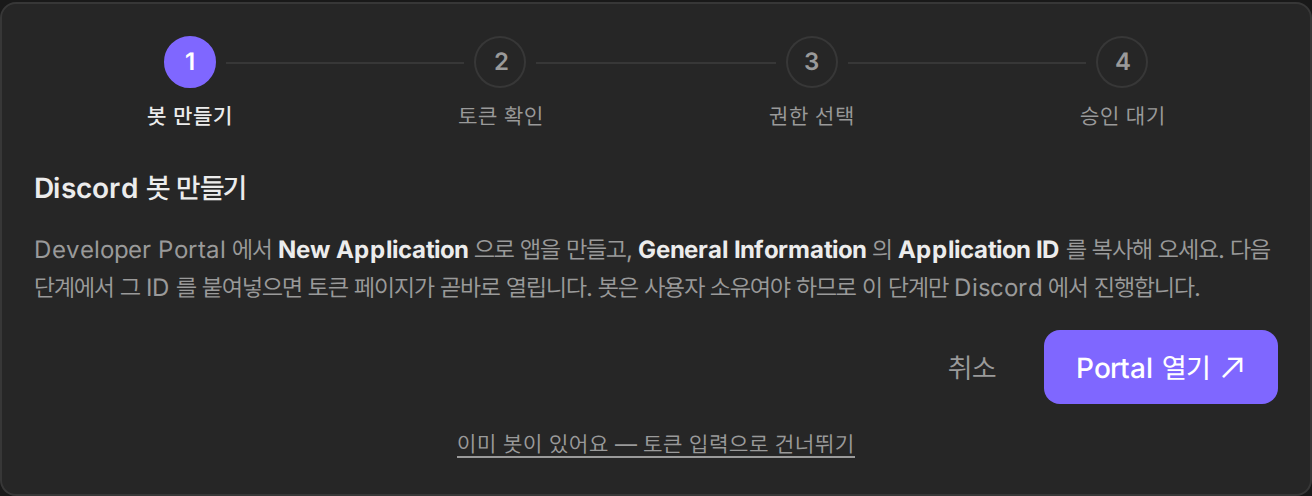
- Follow the guide to create a bot app in the Discord developer portal. The bot is created under your ownership, so control of the token and permissions always stays with you.
- Paste the issued bot token to verify it.
- Pick a permission preset for the bot and press “Add to server”. The default preset is enough at first, and you can change it any time.
- Approve the invite on the Discord screen and the connection is complete.
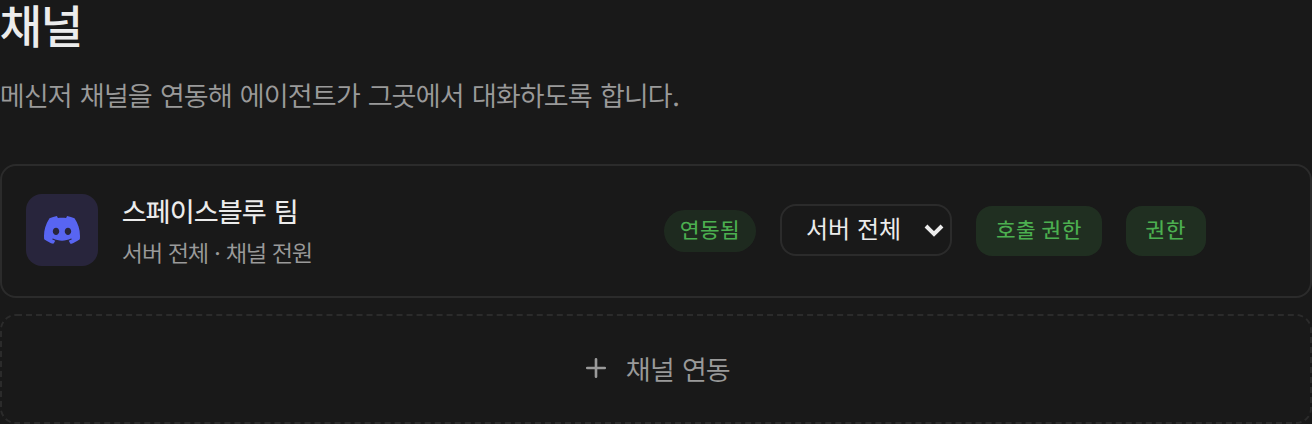
Once connected, the server appears in your channel list with a “Connected” badge.
If you want the bot to pick up context from messages without a mention, turn on Message Content under Privileged Gateway Intents in the Discord developer portal. Replies to mentions work without this setting.
Use it
- Call the agent in a channel with a mention, like
@agent summarize this thread. - Keep talking while it answers and the agent continues the conversation with context intact.
- Conversations from the channel also appear in your endue conversation list, so you can pick them up on the web or review the outputs they produced.
Tune who can call it
On a public server you may not want everyone calling the agent. Under the channel’s call permissions you can choose owner only, approved members, or everyone, and approval requests are handled in one place in Studio’s request list.