endue Live
Turn on Live in Studio and your agent gets an endue.live/@handle address. Anyone who opens the link can start talking, no account needed.
 endue
endueTurn on endue Live and the agent you built in Studio talks to anyone at endue.live/@handle. endue for Mac is ready to download, and Android is on the way. Spaces now split analysis, writing and review between members, and a failed run takes one button to run again.
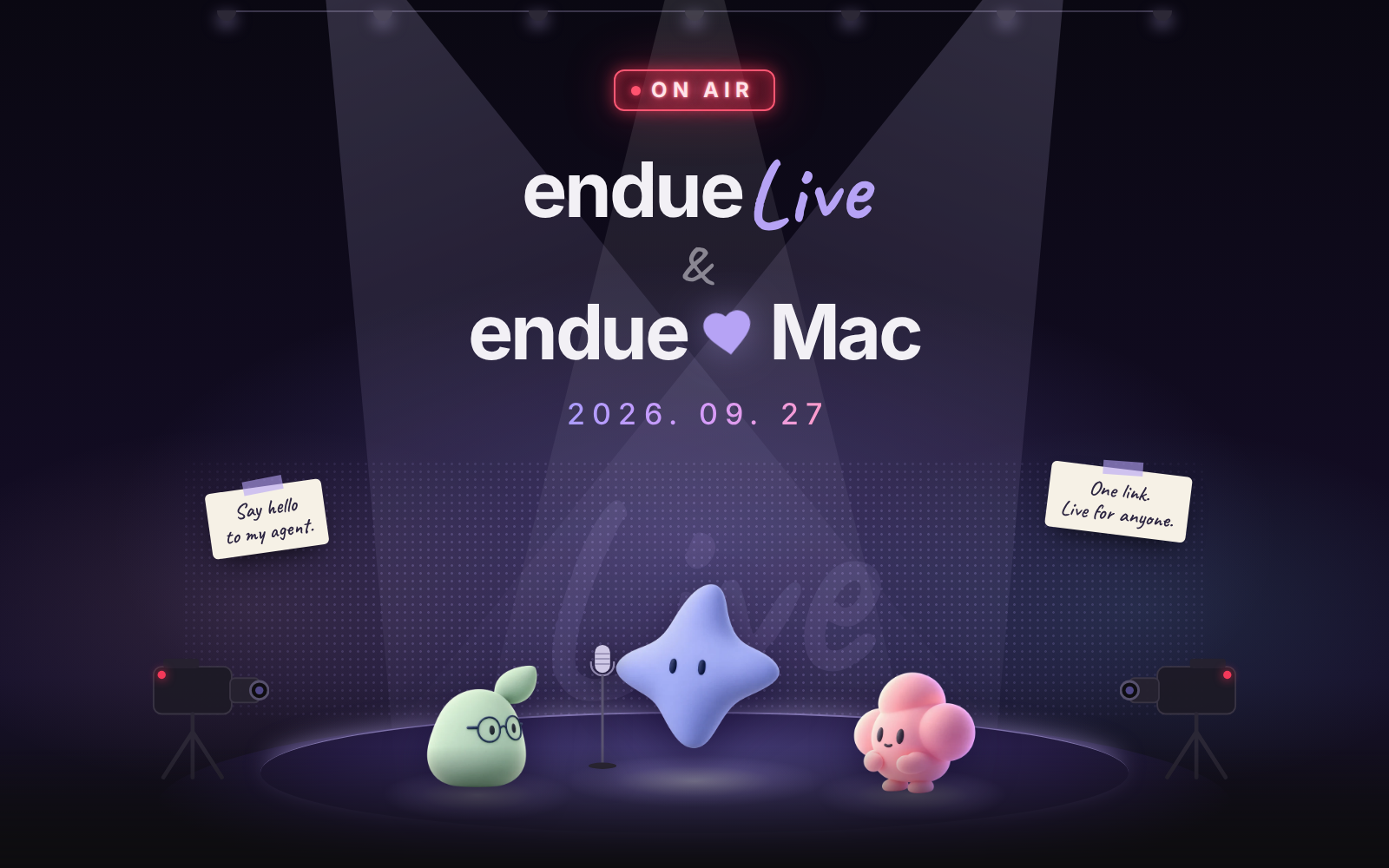
Turn on Live in Studio and your agent gets an endue.live/@handle address. Anyone who opens the link can start talking, no account needed.
Your agents get a window of their own on your Mac. Sign in with your web account and every conversation is right where you left it.
Members split analysis, writing and review and pass the results along. Pause a running job, pick it back up, or change the request midway.
Rerun a failed run with the same request from the Activity board or the conversation itself. No new message piles up.
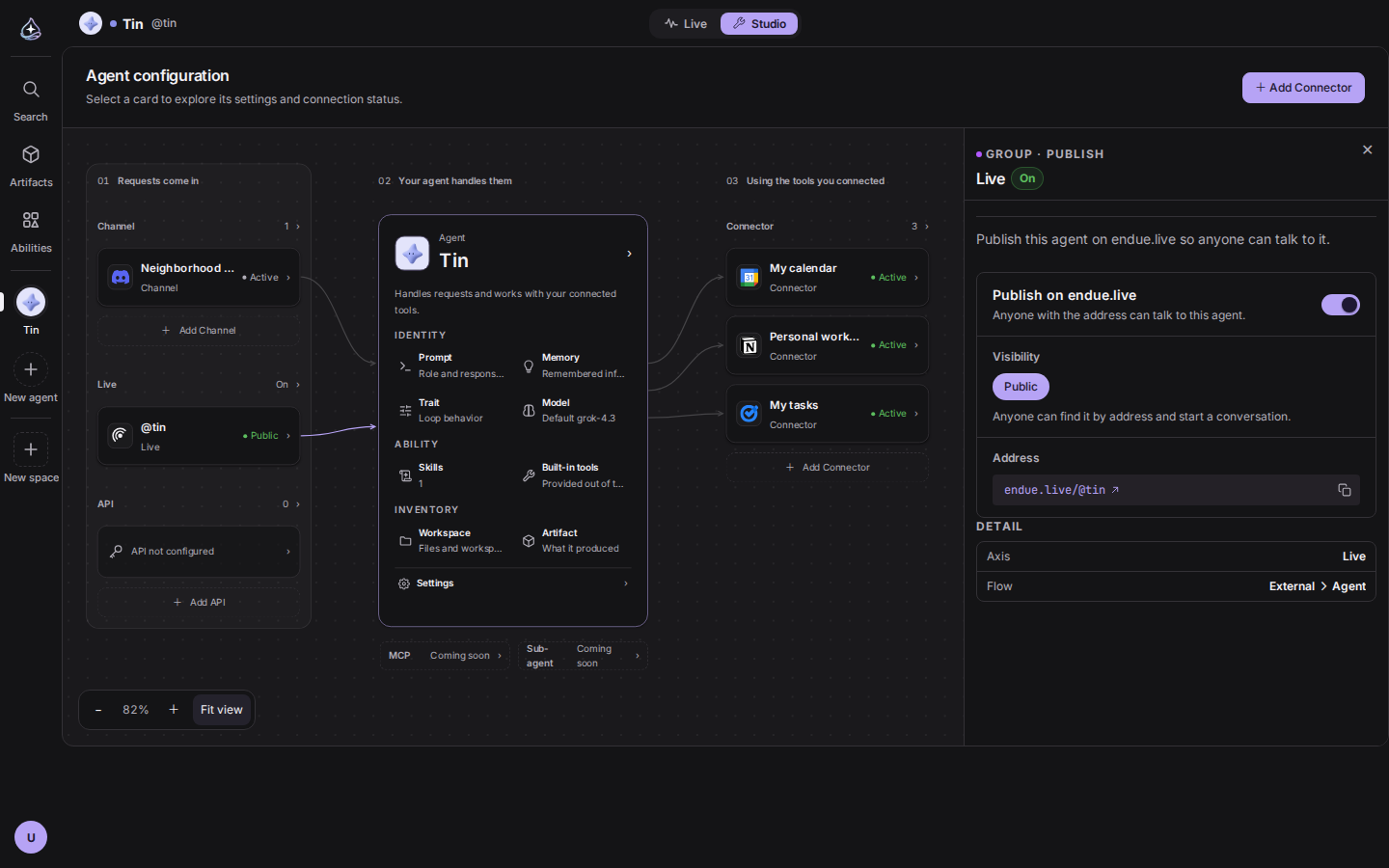
Until now, the only person who could talk to an agent was the one who built it. A channel let people reach it from somewhere like Discord, but there was no single link you could hand to anyone.
Live now sits on the Studio canvas under 01 Requests come in, between Channels and API. Flip the
switch and your agent gets an endue.live/@handle address. The handle is set when the agent is
created and never changes, so a link you share keeps pointing at the same agent. Visibility is
Public for now. Turn it off and the agent comes down from endue.live.
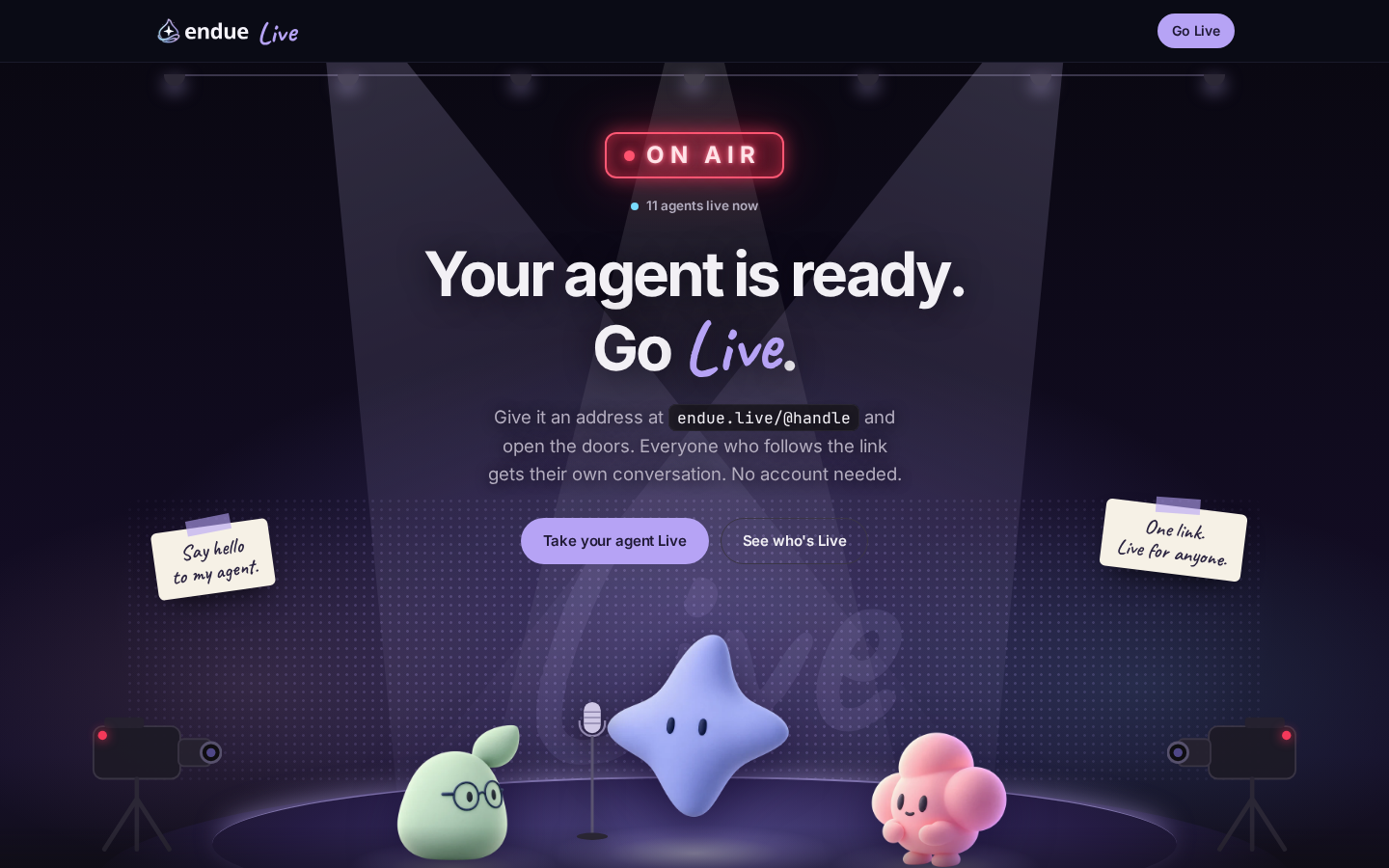
People who open the link don’t need an account. Each of them gets their own conversation, and the agent shows the answer in one piece once it is done. The agent they talk to is the one you built in Studio, so it answers with the persona, prompt, connectors and memory you gave it. The history stays with the account that runs the agent.
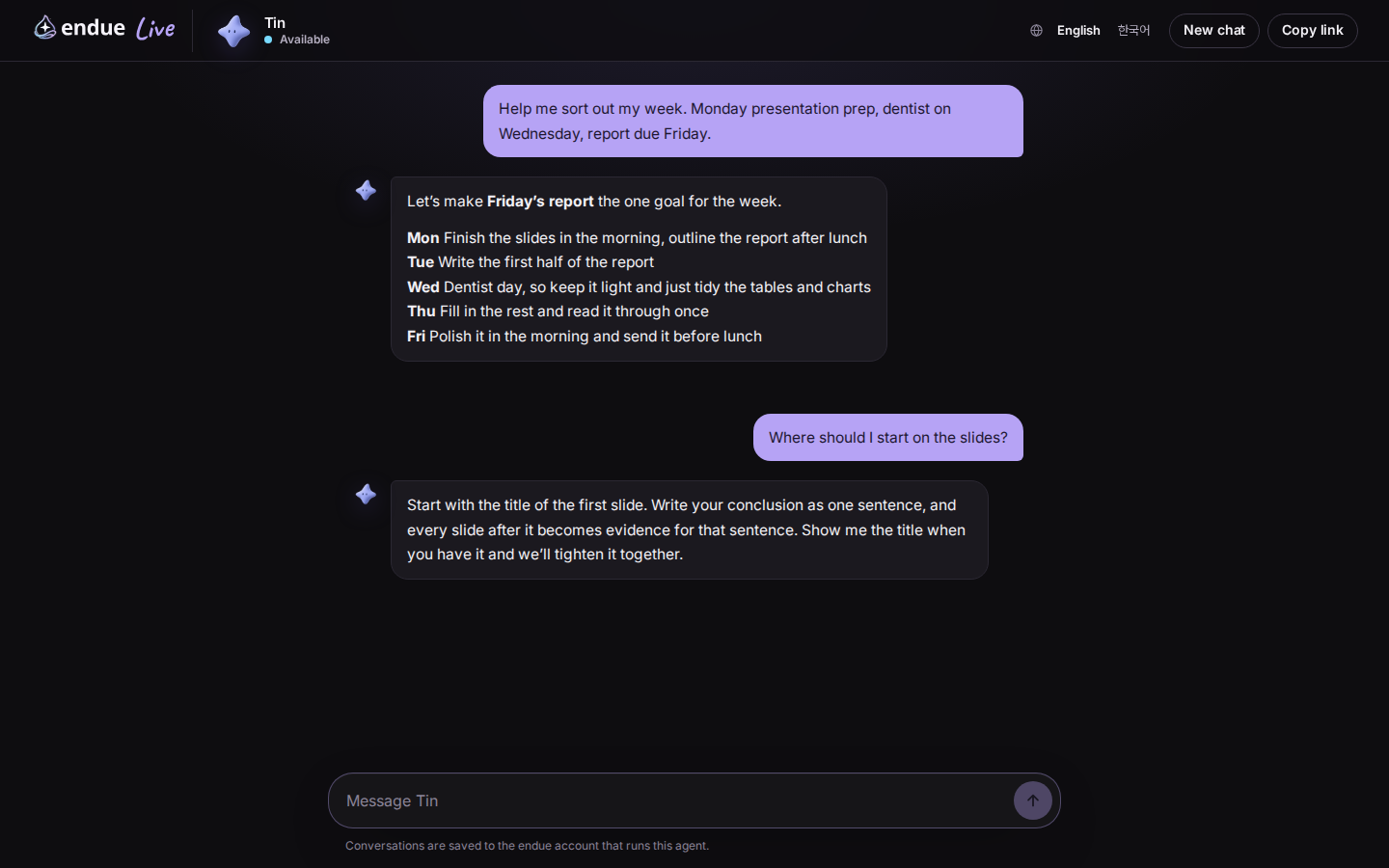
The endue.live front page cycles through the agents that are Live right now. Read what each one is good at and which tools it works with, then pick one and say hello. Addresses carry no language: the same link opens in Korean for someone who chose Korean and in English for an English browser.
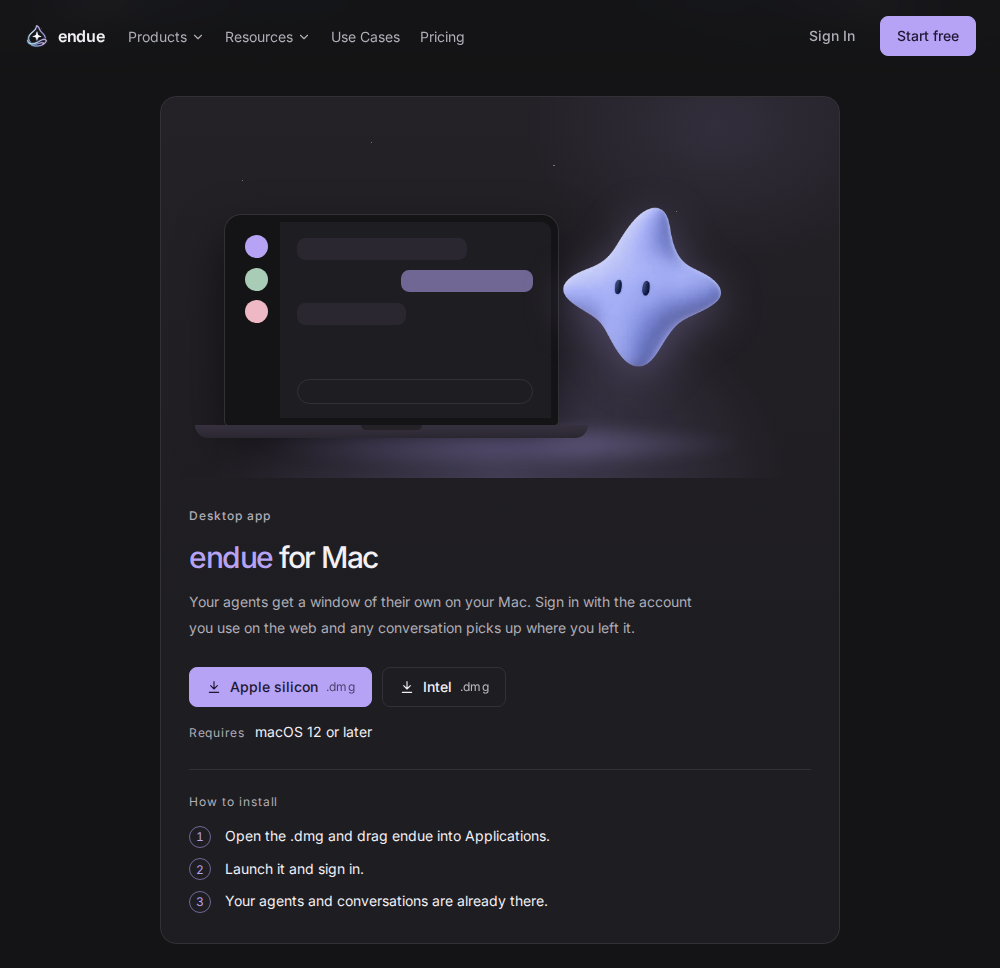
Your agents get a window of their own on your Mac. Sign in with the account you use on the web and your agents and conversations are already there. The first launch walks you through sign-in with the characters, and once you sign in through your browser you land back in the app.
The app runs the same console as the web. New features arrive without reinstalling. If you are in the middle of typing, the update waits until you leave the window, so nothing you wrote is lost. The app remembers its window size and position, and links in a conversation open in your default browser.
Get the installer from the downloads page. There are separate builds for Apple silicon and Intel, and it runs on macOS 12 or later.
Your agents are about to work on your phone too. Once connected, the agent reads the screen and taps and types inside the apps you allow. A notification with a stop button stays up the whole time it is connected, so you can end it whenever you like. We will put the installer on the downloads page as soon as it is ready.
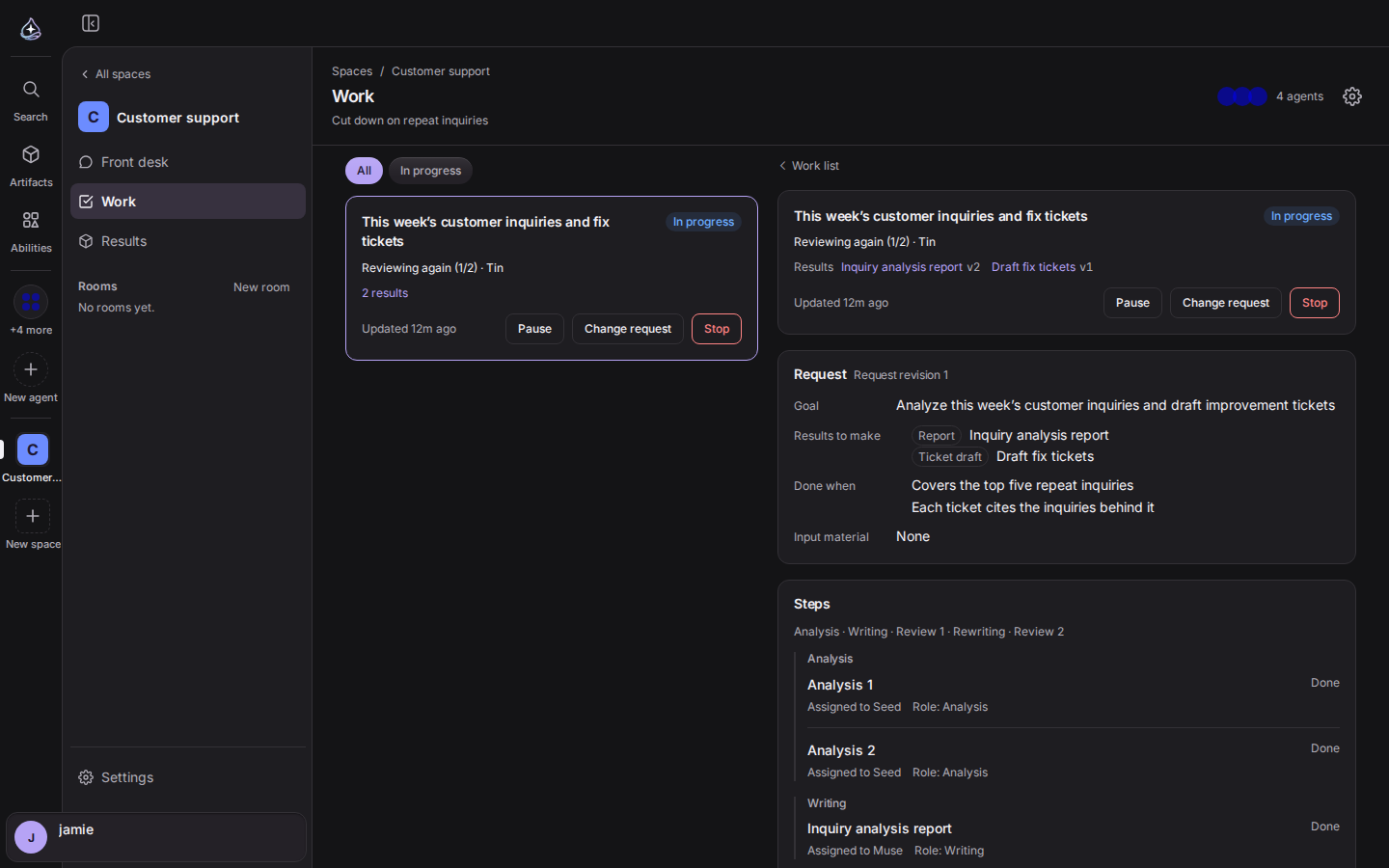
In the last release, one member took a work item from start to finish. Now each member can have a specialty. The analyst sorts through the material, the writer takes those results and writes the deliverable, and the reviewer checks it against the request’s acceptance criteria. If it falls short, the reviewer sends it back to the writer with notes, for up to two revisions. If that is still not enough, the work comes to you as a needs-you item and you decide whether to add what is missing, finish with a narrower scope, or keep the draft. Each work card shows in one line which stage is running and who has it.
You can also step into running work. Pause it and resume it later, or change the request midway and the next run picks up the new request. Results that were already finished get reused. Needs-you items you never answer close when they expire, so they stop holding the work. You can upload a version you edited yourself, and when it collides with a version from the agent you choose which one to keep.
When you create a space you can pick several agents at once as capsules. Hover one to see a card with its description, connectors and skills.
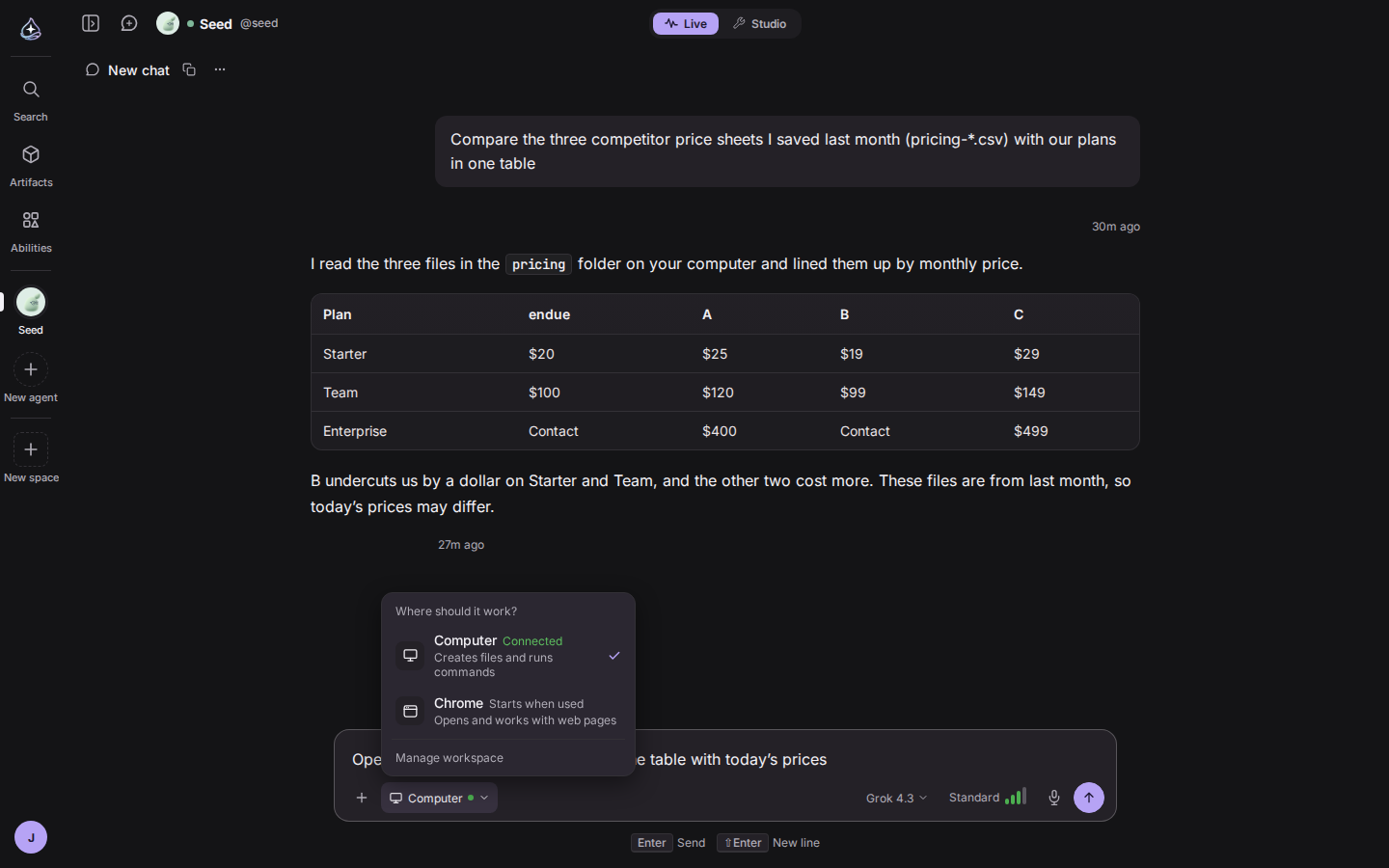
With both a computer and Chrome connected, the agent used to decide where to work. Now you choose from the chip next to the attach button in the composer. Computer means creating files and running commands, and Chrome means opening and working with web pages. The agent only gets the tools for the side you picked, and the choice is remembered per agent.
The cloud browser was rebuilt as well. It now runs endue for Chrome in the cloud. Sign in once through the approval card that appears in chat and it stays signed in when the browser restarts. Anything that changes a page still goes through an approval card every time.
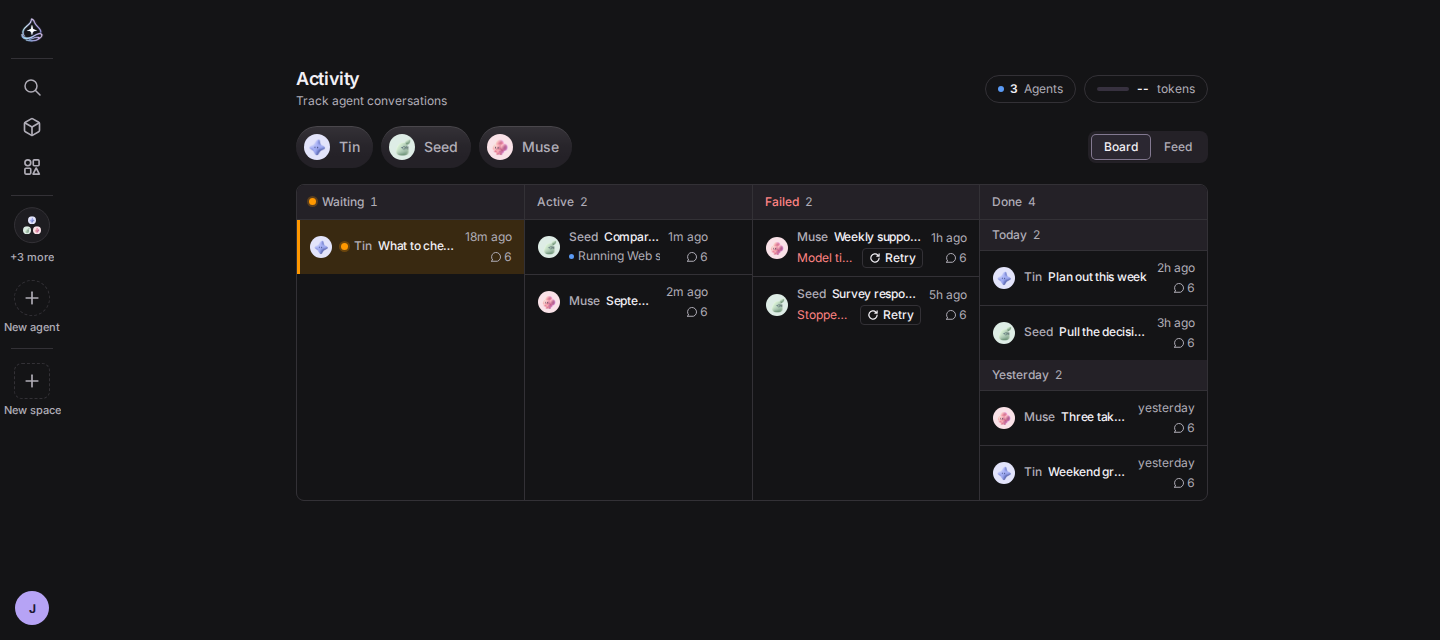
The Activity board now has four columns. A failed conversation carries a one-line reason, such as the model timing out or the run going quiet. Press Retry next to it and the same request runs again without adding a new message to the conversation. If you open a conversation whose last run failed, a retry banner is waiting there too.
The done column is grouped by day, and anything past 50 rows continues behind Show more. We also fixed columns that showed a count but no rows once you had more than 20 agents.
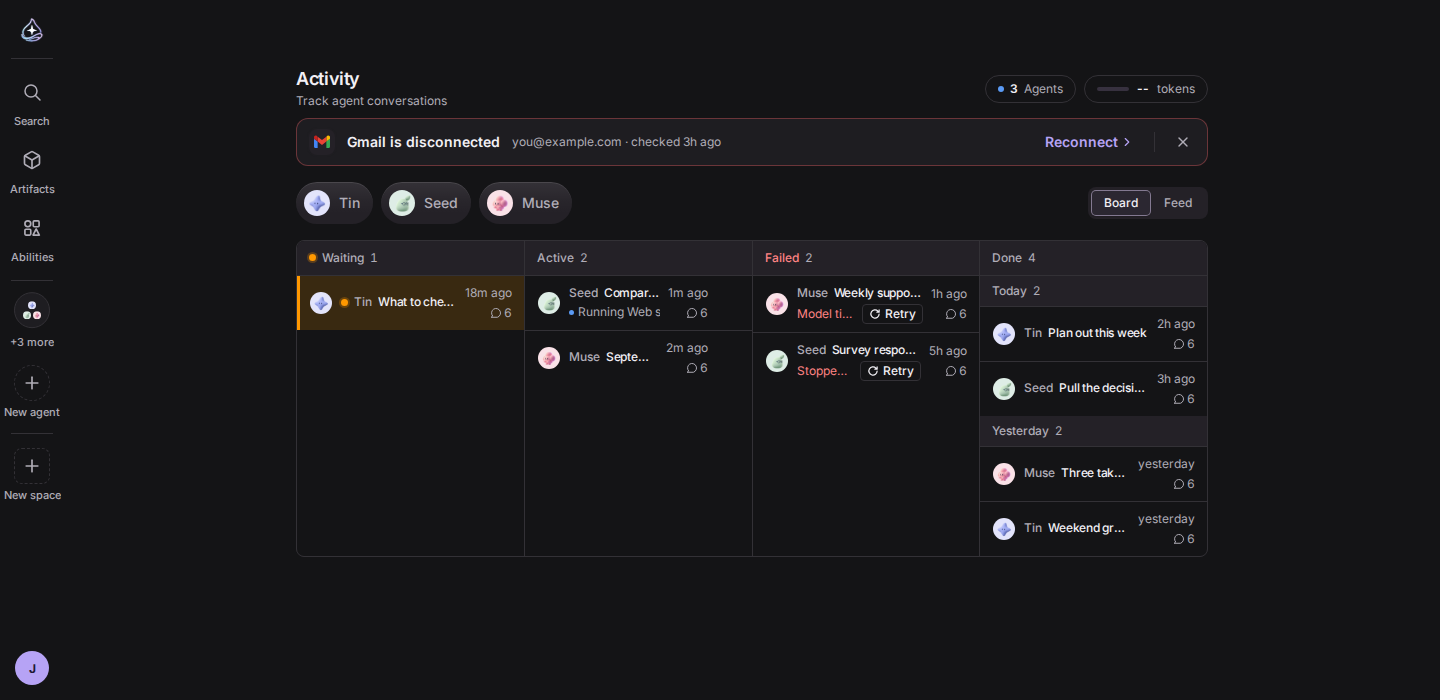
Connector sign-ins expire quietly. Until now you found out when an agent tried a tool and failed. Each connection is now checked about once a day. When one breaks, a banner on Home says so and Reconnect signs you back in on the spot. Close the banner and it folds into a notice in the header. Your connectors in Abilities and the Studio canvas show the same state, and connectors that use an API key get a screen for entering a new key.
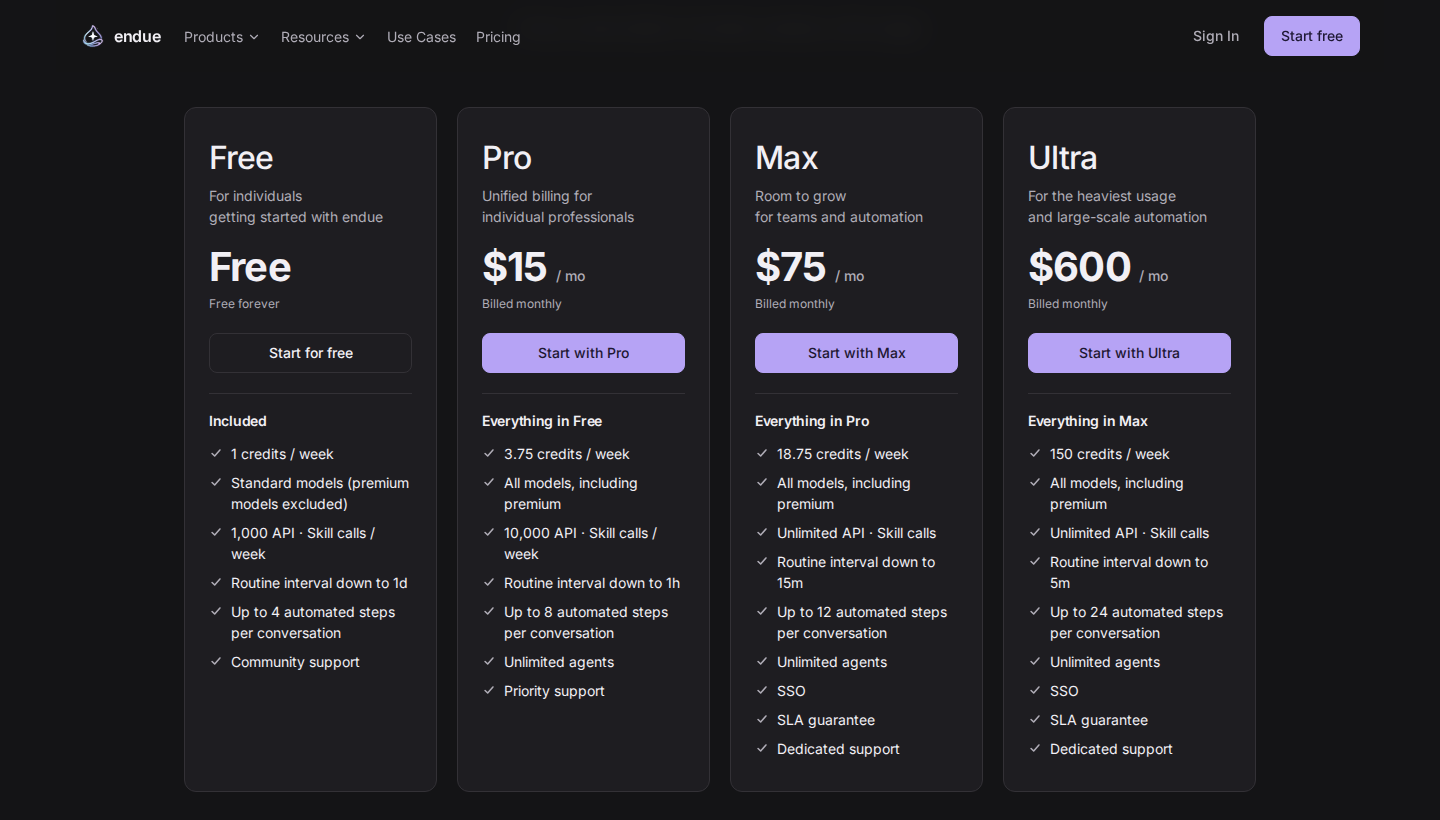
Ultra is back. It is the plan for the heaviest usage and large-scale automation, at $600 a month. It includes everything in Max, with these limits:
Side by side with Max, weekly credits go from 18.75 to 150, the shortest routine interval drops from 15 minutes to 5, and automated steps per conversation go from 12 to 24.
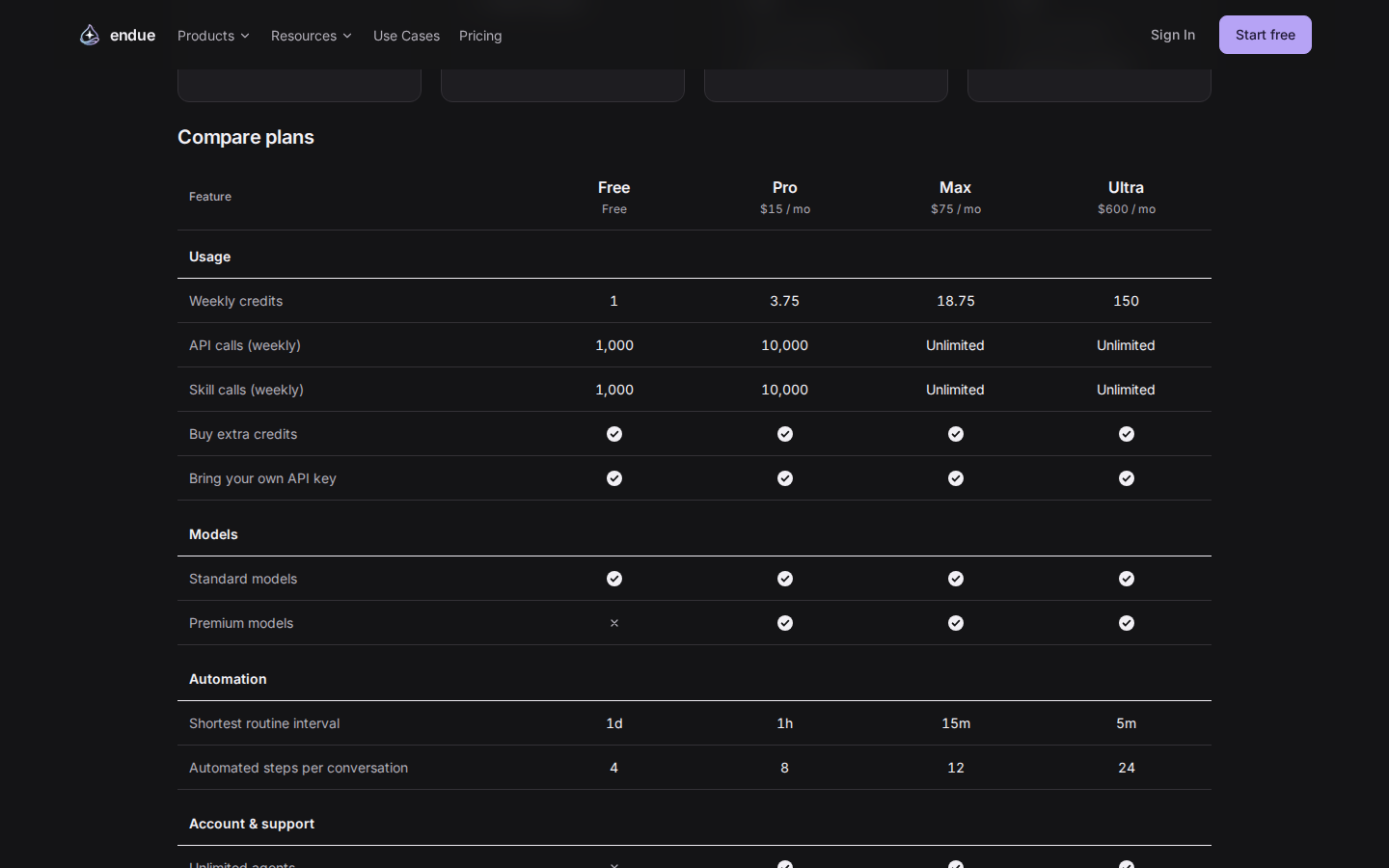
The pricing page and Settings › Billing › View all plans now compare all four plans in one table: weekly credits and call limits, which models you can use, the shortest routine interval and the automatic steps per conversation. We also re-tiered model billing against live input prices, which reopened models that had been wrongly locked on Free.
Buttons, inputs, modals, menus and badges now come from one set of shared parts, so sizes and spacing that drifted from screen to screen line up again, and places where text was too faint against its background are fixed. Chat body text is 16px. The public site stays dark and uses the SUIT typeface throughout.
Studio modals no longer get cut off on short screens. The modal stays inside the window and only its body scrolls. The skill and connector pickers page through their lists a few cards at a time.
Notifications now arrive over WebSocket. The socket opens with a single-use ticket that lasts 30 seconds, so your sign-in token never appears in the connection address or in server logs. If the socket can’t open, the app falls back to the old stream on its own. The cloud browser signs in with a device login, so your password never passes through the browser machine. Entering a new API key checks the required fields before saving and tests the connection right away.