

Automate customer support on a Kakao channel
Register one webhook URL in the Kakao chatbot builder and let an agent answer the customer inquiries coming into your KakaoTalk channel.
If your team cannot keep up with every inquiry arriving through your KakaoTalk channel, you can put an agent at the front desk. Paste the webhook URL that endue issues into the Kakao chatbot builder, and customer messages flow to the agent while its replies flow back into KakaoTalk. No bot token, no server invite.
Good for
- Shops and services that must answer frequent questions (shipping, refunds, how-to) instantly, even outside business hours
- CS teams that want first-line triage automated, with people taking over only the hard cases
- Teams that want consistent answer quality from an agent trained on their product docs
What you need
- An endue account and one support agent. It helps to put your support tone and frequent questions in its instructions ahead of time
- A Kakao business channel and chatbot (via the chatbot admin center)
Connect
-
In endue, open the agent you want to connect and go to Studio → Channels, then choose Kakao.
-
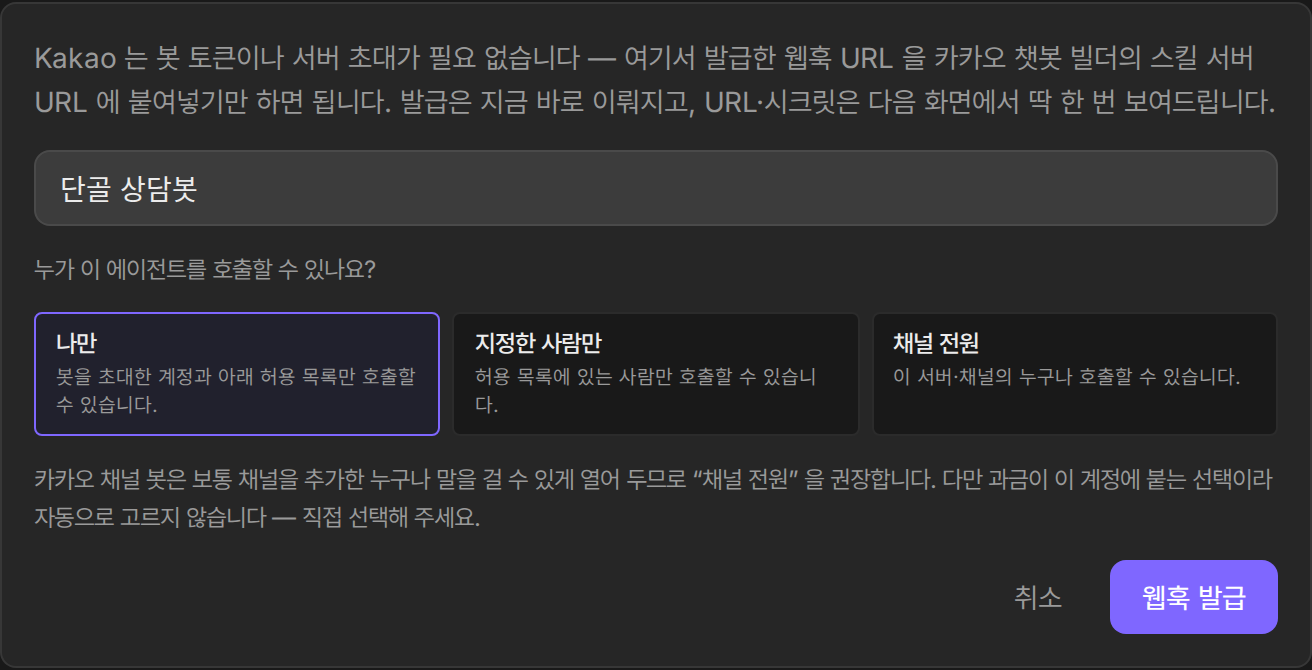
Pick a display name and call permissions, then press Issue webhook. The webhook URL and secret are shown exactly once on this screen, so copy them right away.
-
In the Kakao chatbot admin center, switch the chatbot to an AI chatbot.
-
Attach a skill to the scenario block and turn on callback. Without callback, Kakao’s five-second response limit cuts replies off before they arrive.
-
Paste the copied webhook URL into Skill server URL, save, and deploy the bot.
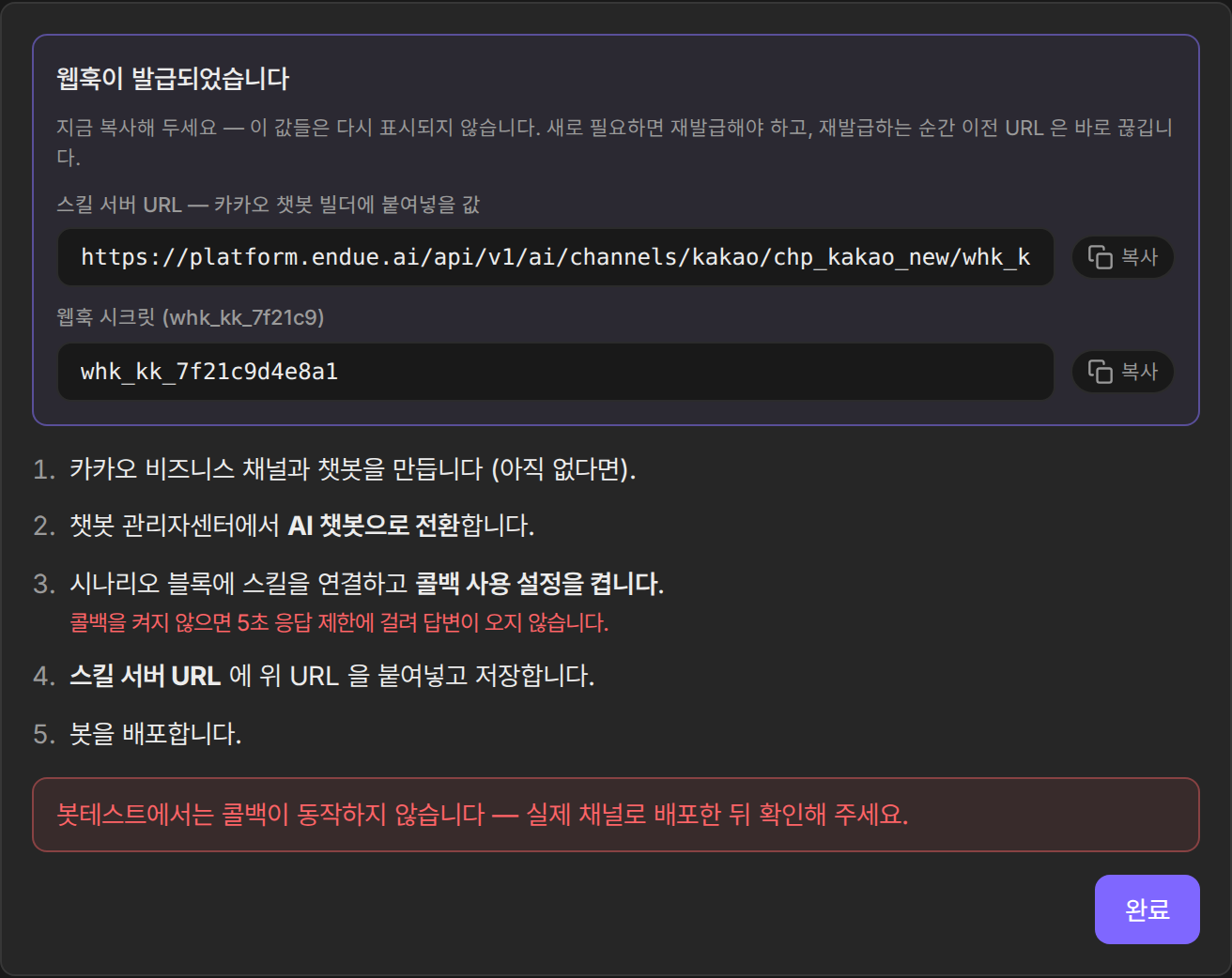
Callback does not work in the admin center’s bot test. Verify the connection after deploying to the real KakaoTalk channel.
Use it
- Messages customers send to the KakaoTalk channel are answered by the agent. An acknowledgment goes out the moment a message is received, and the prepared answer follows.
- Conversations from the channel stay in your endue conversation list, so you can review support quality on the web.
- To change how the agent responds, edit its instructions only. Nothing on the Kakao side needs to be touched again.
Operating tips
- If you suspect the webhook URL has leaked, reissue it from the channel card. The old URL is invalidated immediately, and the skill server URL in the chatbot builder must be updated to the new value.
- With call permissions restricted, calls from unapproved users are politely declined. Approval requests are handled in Studio’s request list.