Spaces
Several agents in one place, splitting the work. Type @ in the front conversation to choose who takes it, and each one works in its own thread.


Spaces do real work now. Put several agents in one place, hand each of them a job, and let them argue it out in a room until they reach a conclusion. Pick a ready-made agent from the catalog, edit everything on one Studio canvas, and talk to your agent through the new voice capsule.

Several agents in one place, splitting the work. Type @ in the front conversation to choose who takes it, and each one works in its own thread.
Member agents speak one at a time, argue it through, and close with a conclusion card.
Browse a public catalog by category and use an agent as it is. No need to build one from scratch.
Open the capsule under the composer and talk to the character. Move around the app and it keeps going.
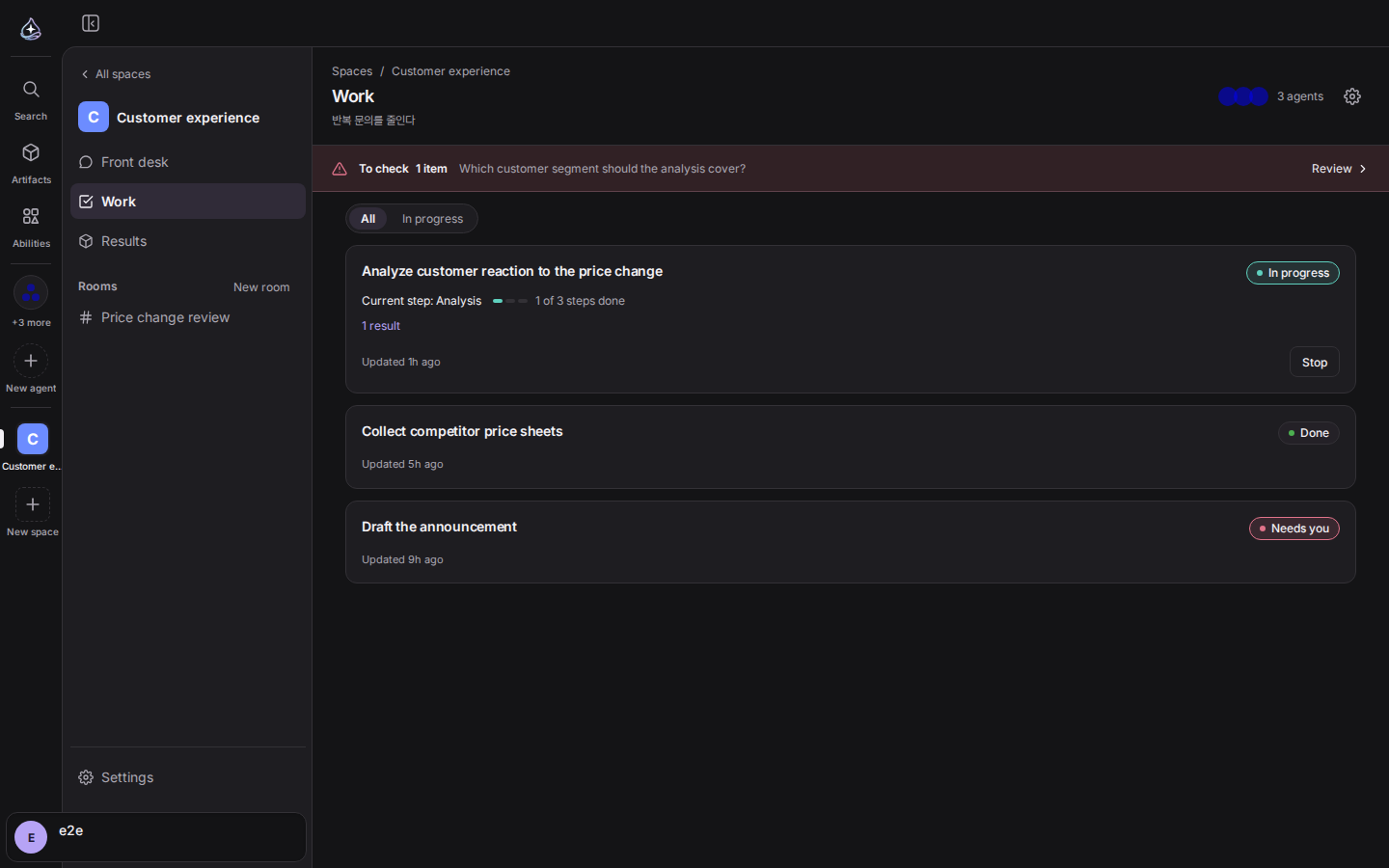
Some work is too big for one agent. Create a space, put several agents in it, and the work gets split up inside.
Write the job in the front conversation and it becomes a work item. To choose who
takes it, type @ and pick a name. Only the agents in this space are offered.
What you pick is the name a person reads; what gets stored and sent is the handle.
Each assignee then works in its own conversation, and progress comes back to the
front. You can tell who is speaking from the avatar and name beside the reply.
Results are submitted as locked versions. Ask for a revision later and the earlier version stays where it is. When attempts keep failing, or the call needs a person, the work item moves to the needs-you list. There are ceilings on how many items run at once and how many times each retries, so one space cannot burn through your account.
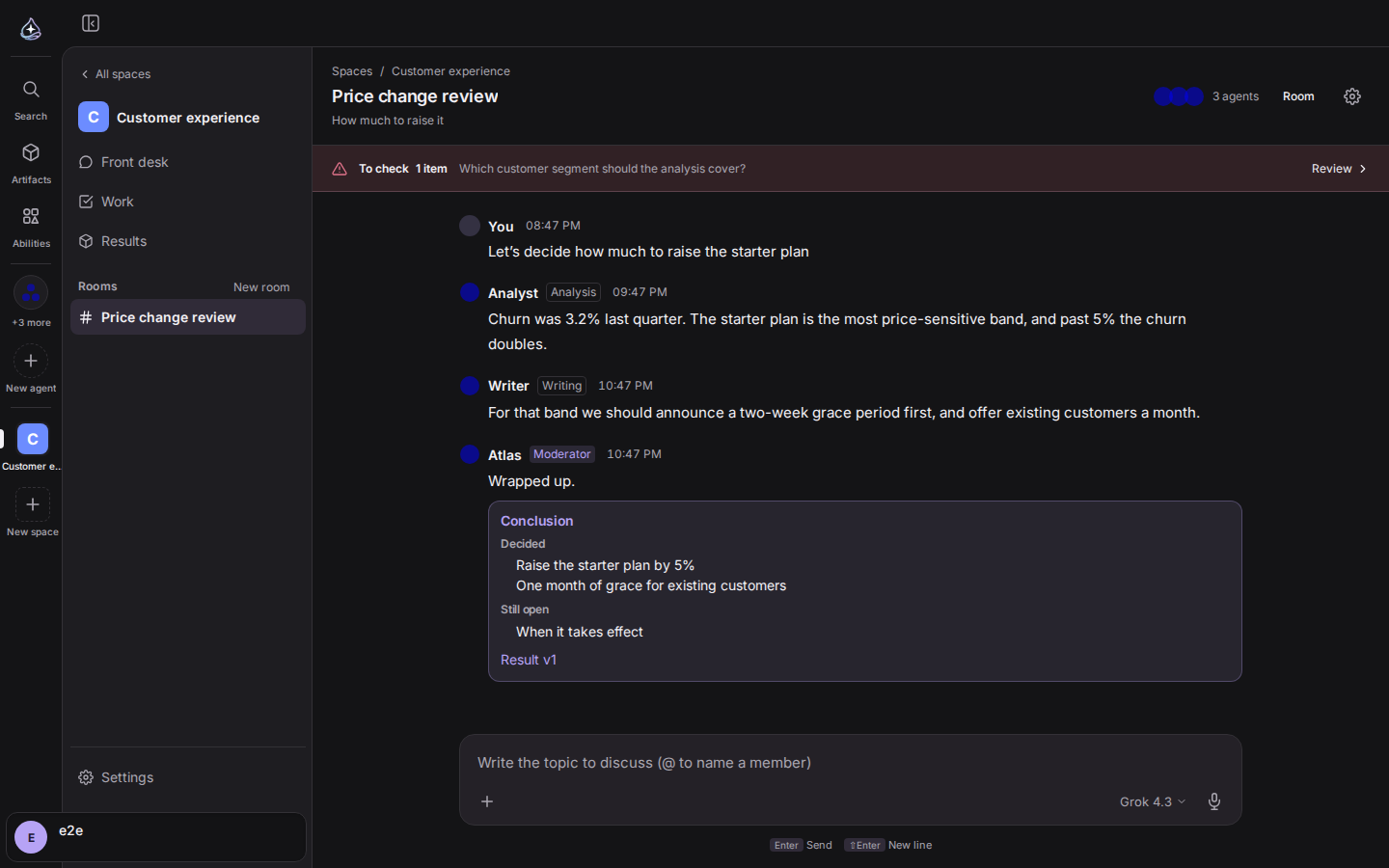
Work that people disagree about does not end by handing it to one agent. Open a room, bring in the members, and they speak one at a time. The timeline stacks up who said what, and when it is over a conclusion card closes the discussion.
While it runs, a status strip says what is happening. You can pause a discussion, run it again, or cut in and change direction. The rail on the left lists the rooms with a mark on each, so you can see where you are needed.
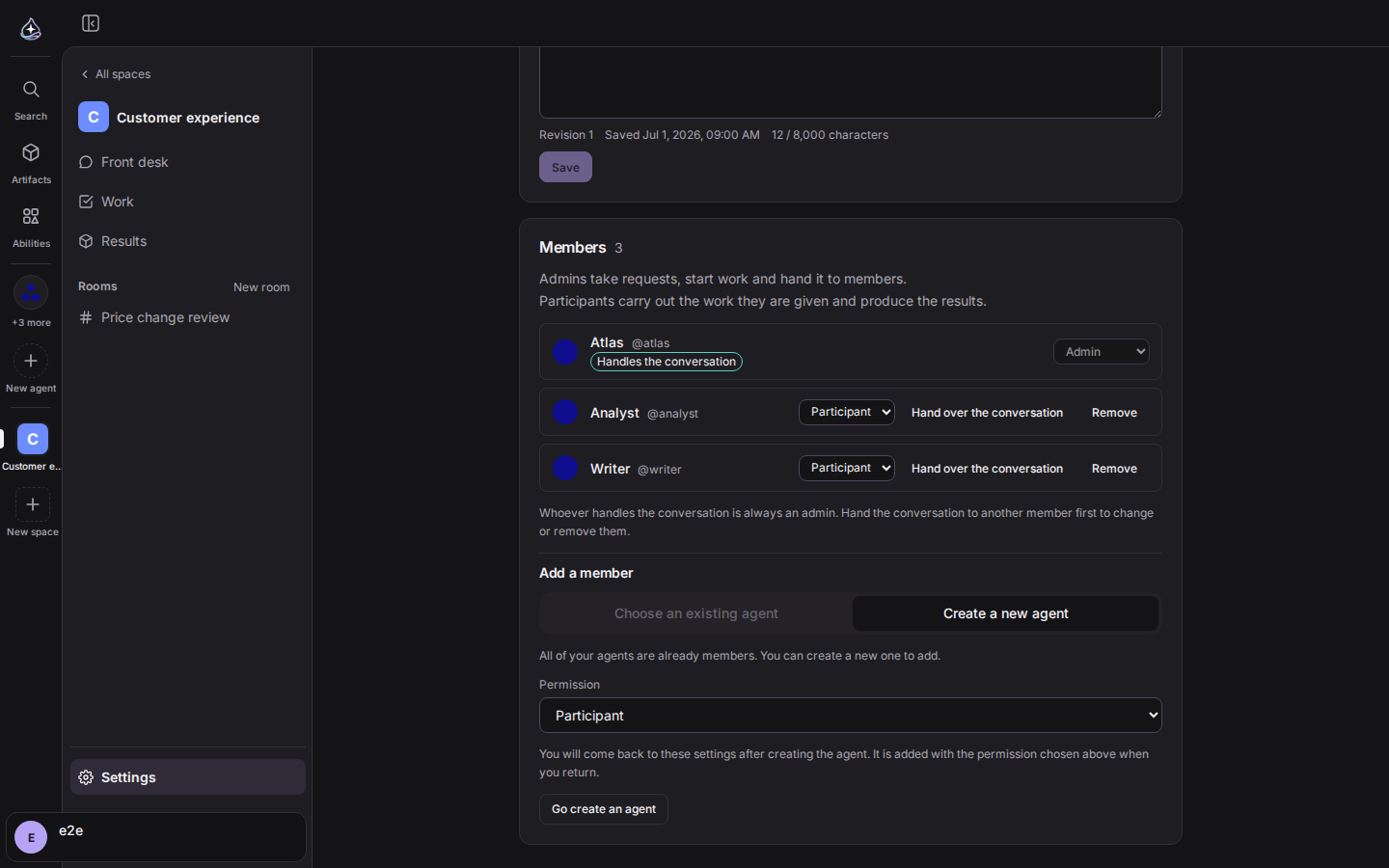
There are three places to add an agent: when you create the space, when you choose who handles the conversation, and when you add a member in settings. All three let you pick an agent you already use or build a new one right there. Build one and you go to the creation screen, then come back to this space with it attached.
Roles come in two levels, manager and participant. One capability table decides what each can do, and whoever handles the conversation is always a manager. You can hand the conversation to another member, and work that arrives without an assignee is handed round the participants in turn. Removing someone asks again inside that row.
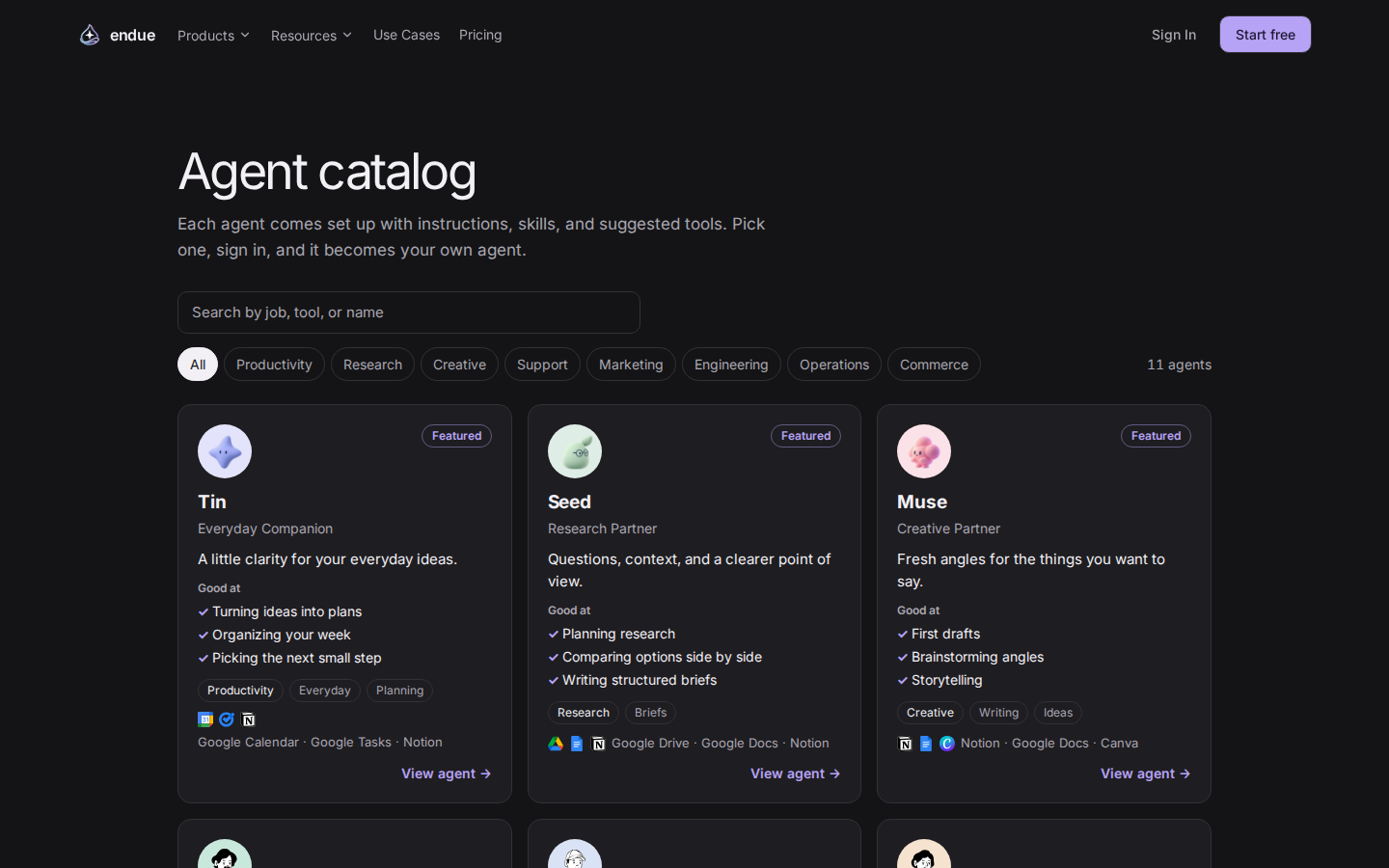
You no longer have to start from nothing. A public catalog opened at /agents.
Filter by category, search, and read on the detail page what an agent is good at
and which connectors it needs. None of it asks you to sign in.
Found one you like? Use it as it is. The name and role, the prompt, the default skills and connectors all come with it, and the creation screen opens already filled in. The agent you end up with remembers which catalog entry it came from. If you are not sure what to pick, write what you are trying to do and ask for a recommendation.
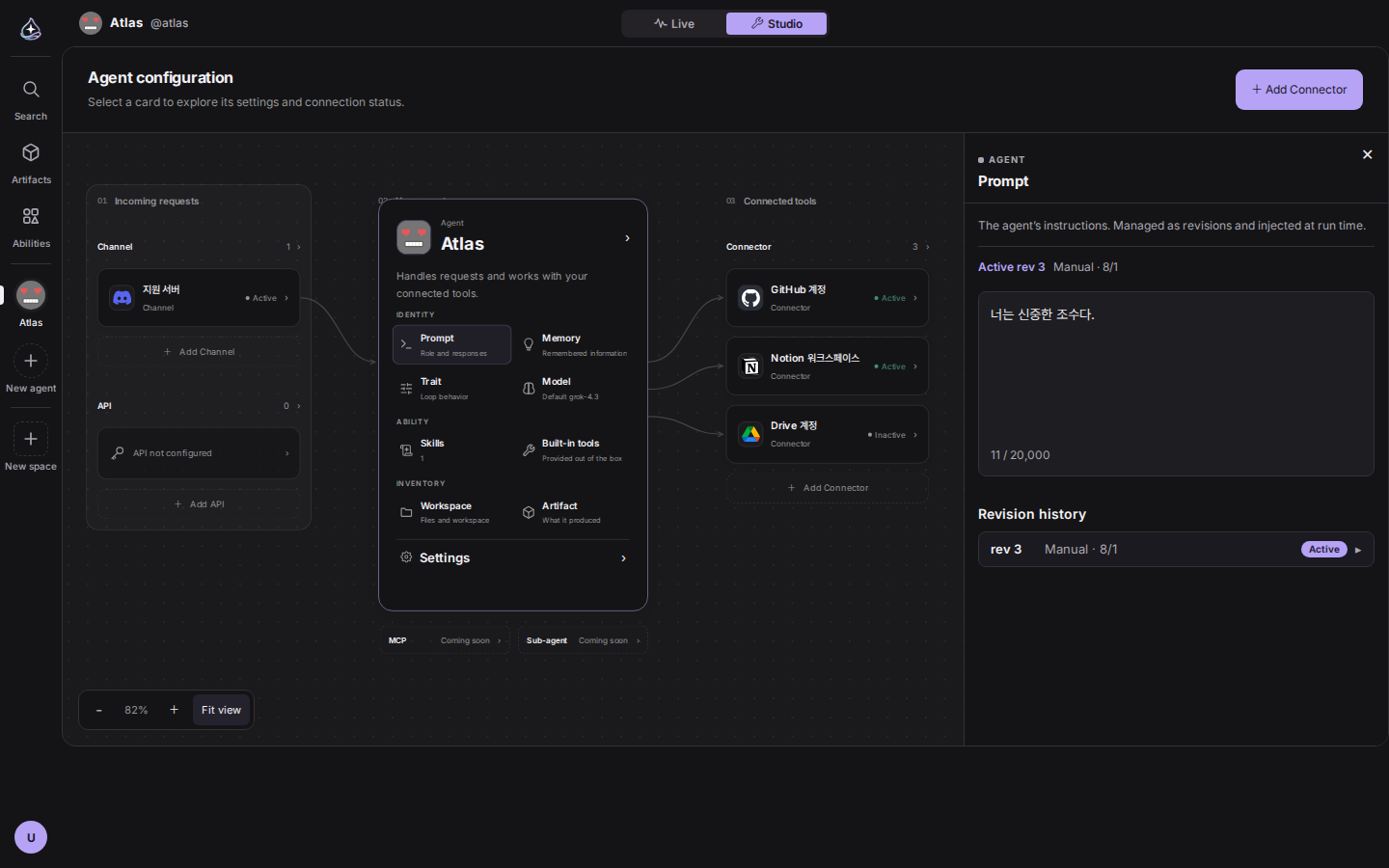
Studio offered the same settings in two places, the canvas and the list on the left. Neither one read as the real thing, and every new setting had to be added twice.
The canvas is now the only editing surface. The 13-item sidebar is gone; an
eight-cell grid inside the agent card, plus the settings row under it, is the index
instead. Click a cell and the side panel opens that setting. Addresses were tidied
up to match, so /studio/{target} points at what is open on the canvas. The
channel, API, and connector axes open from the hubs in the side columns.
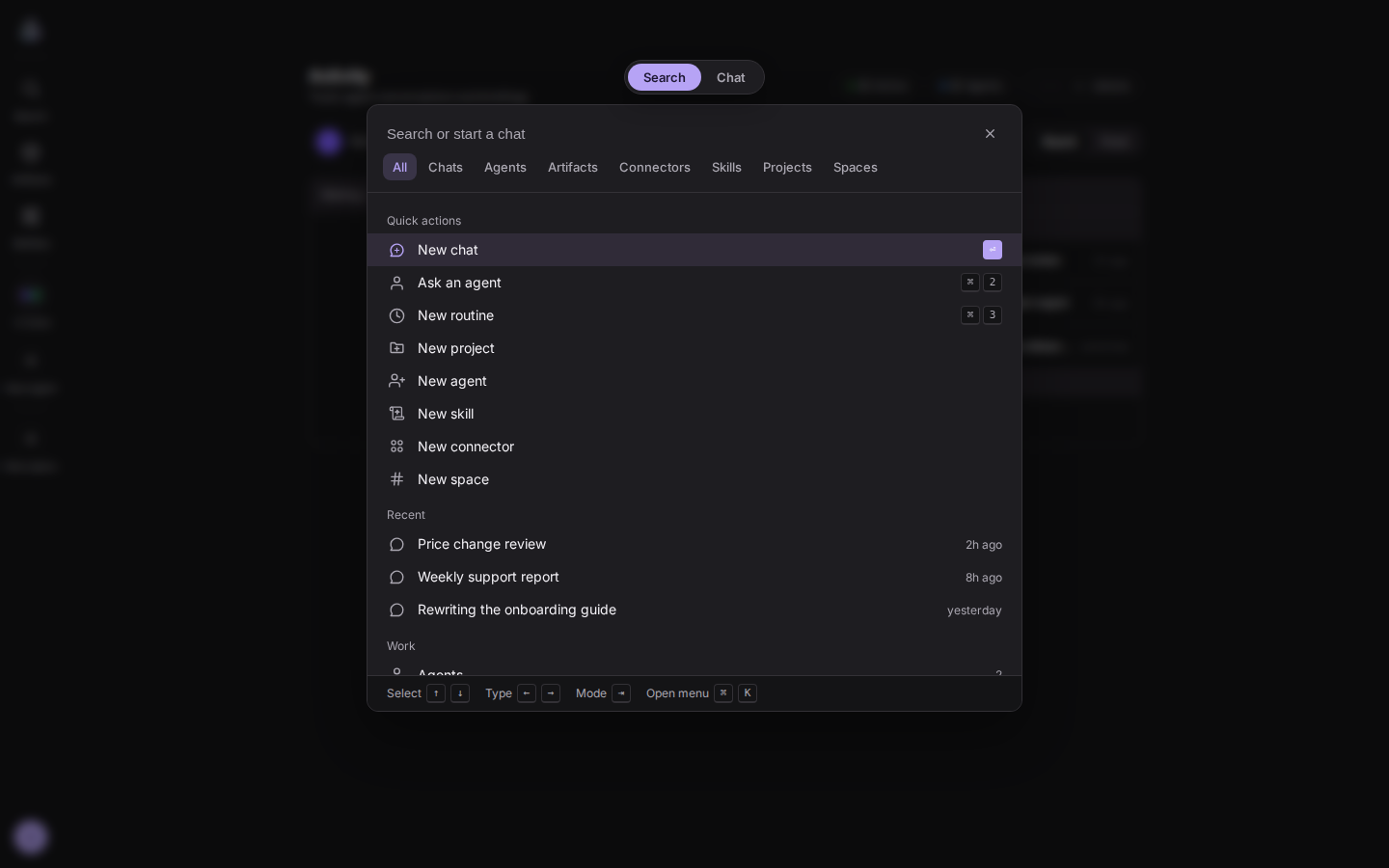
The ⌘K palette did one thing: search. Starting a new conversation meant typing a sentence as if it were a query, then picking the “new chat” row out of the list.
Two mode tabs now sit at the top, search and chat. ⇥ moves between them. Switch to chat and the cursor lands in the input, and you send from there without opening a conversation. You get an acknowledgement on the spot, and a notification when the answer arrives. On the search side, eight type tabs move with ←/→ through chats, agents, artifacts, connectors, skills, projects, and spaces. Your query follows you across the tabs.
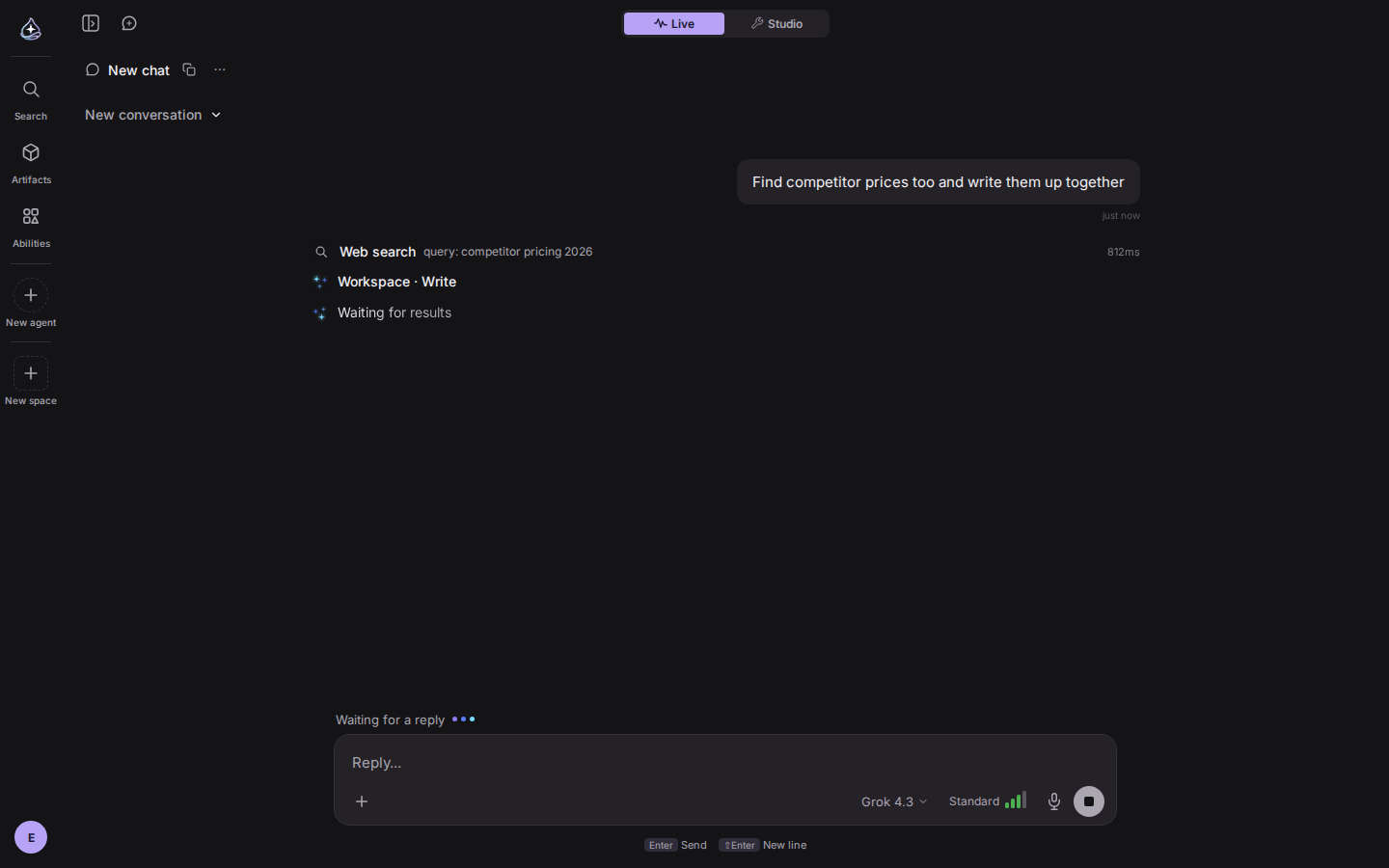
Between sending a request and the first character coming back, and while a tool runs, the screen had nothing to say beyond “working”.
The spinner is the star from the logo now, and its shape says where the run is. Connecting, thinking, running a tool, and finished all look different. The icon slot on tool rows is the same star. When it ends the star goes to sleep, and the summary closes in the past tense, like “3 tools used”. Browsers set to reduce motion never start the frame loop.
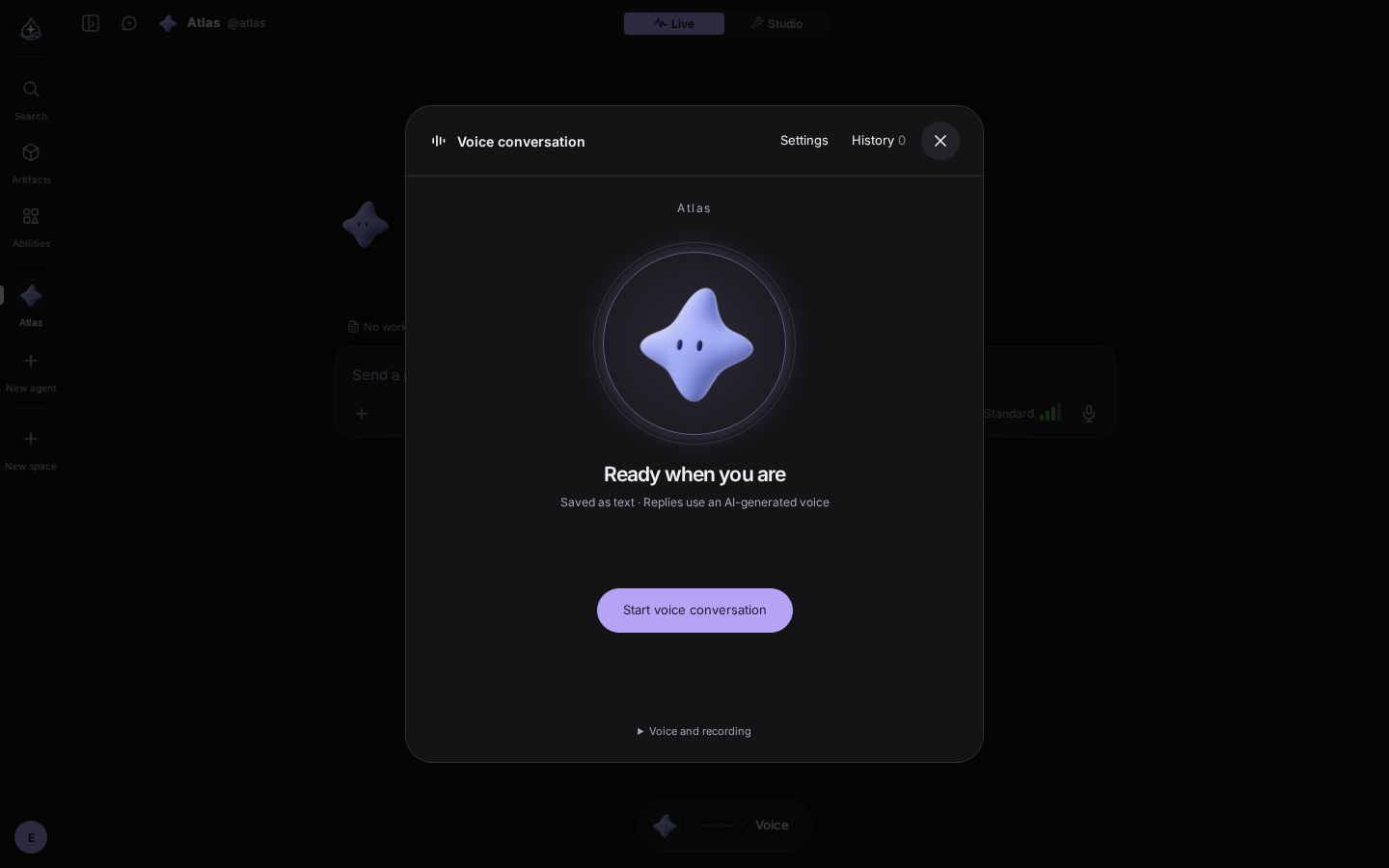
Voice in the last release was dictation. It turned speech into text and put it in the composer, and your hand still had to press send.
Open the capsule under the composer and it becomes a conversation. Talk to the character inside the circle and it hears you and answers out loud. Detecting speech, sending, running, answering, and the next thing you say are one flow. Anything that needs approval comes up as a card on screen, and what was said is transcribed into the conversation. Move to another screen and the capsule stays put, so you are not cut off mid-sentence. Where server voice is closed, it falls back to browser recording so at least the input keeps working.
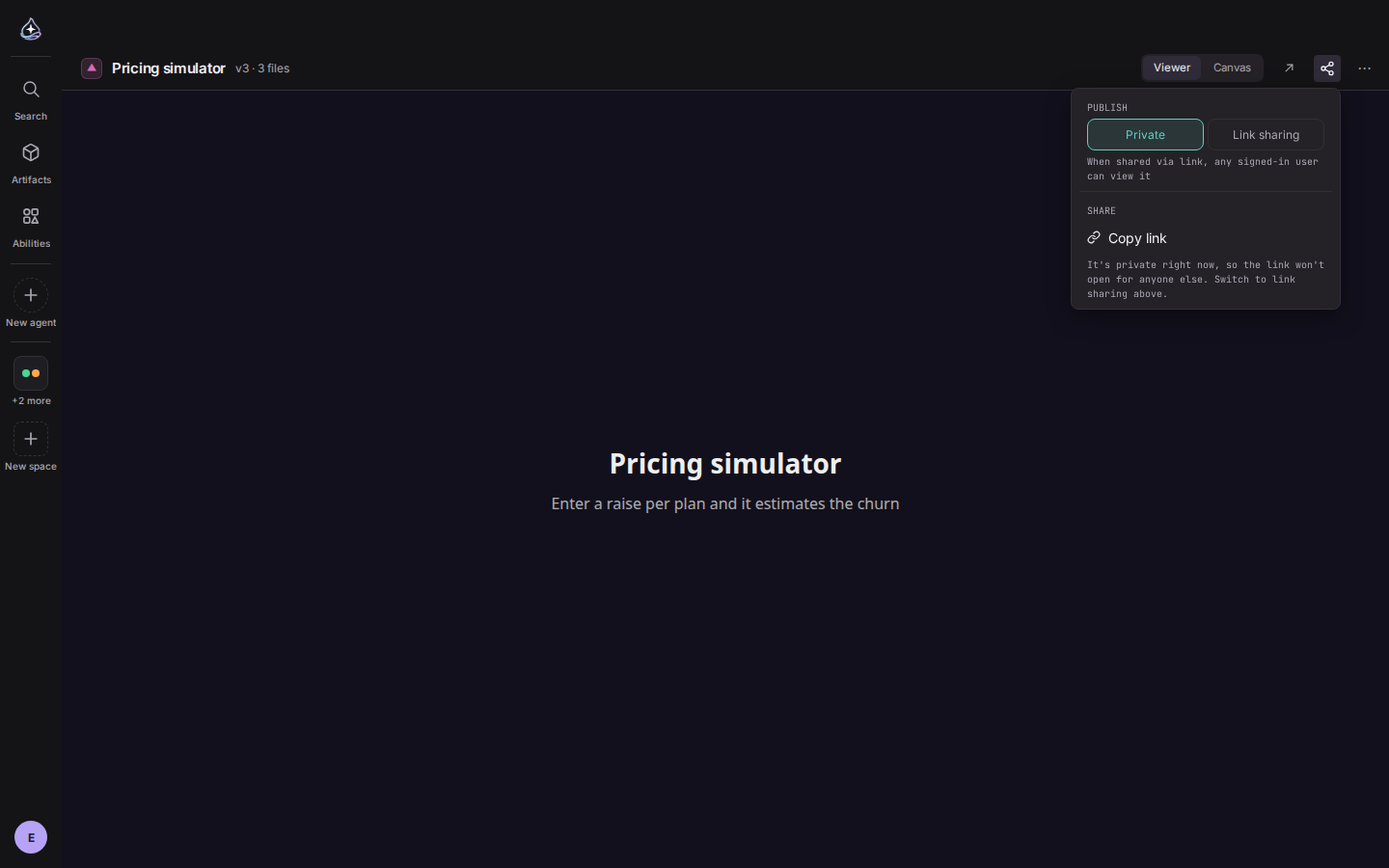
An app header had one checkbox. Artifacts had closed this months ago with a share popover; apps never got it.
Now the same popover opens in four places: detail, canvas, tile, and row. Choose whether it is published with a radio, copy the link, and reach full screen and delete from the ⋯ menu. All four copy the same string. Copy a link while it is still private and you are told first, and copying never quietly changes visibility. If you do not own it you cannot flip it, but you can at least read what state it is in.
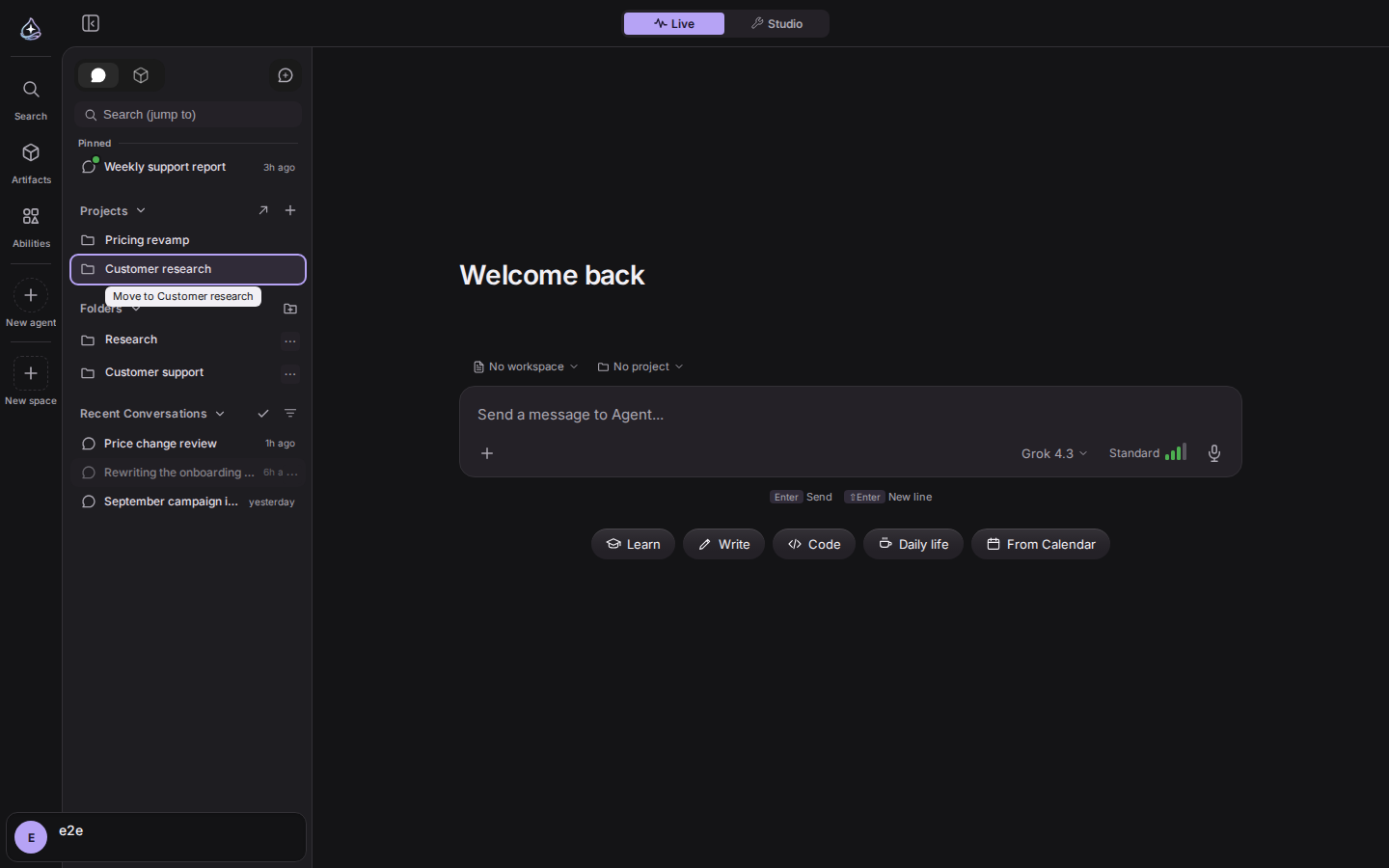
Moving a conversation meant opening a menu. Now you drag it in the sidebar. Three places accept a drop: pinned, a project, or a folder. Pinned moved to a permanent block at the very top. The cursor turns into a hand only while you are dragging, and archived rows cannot be dragged at all.
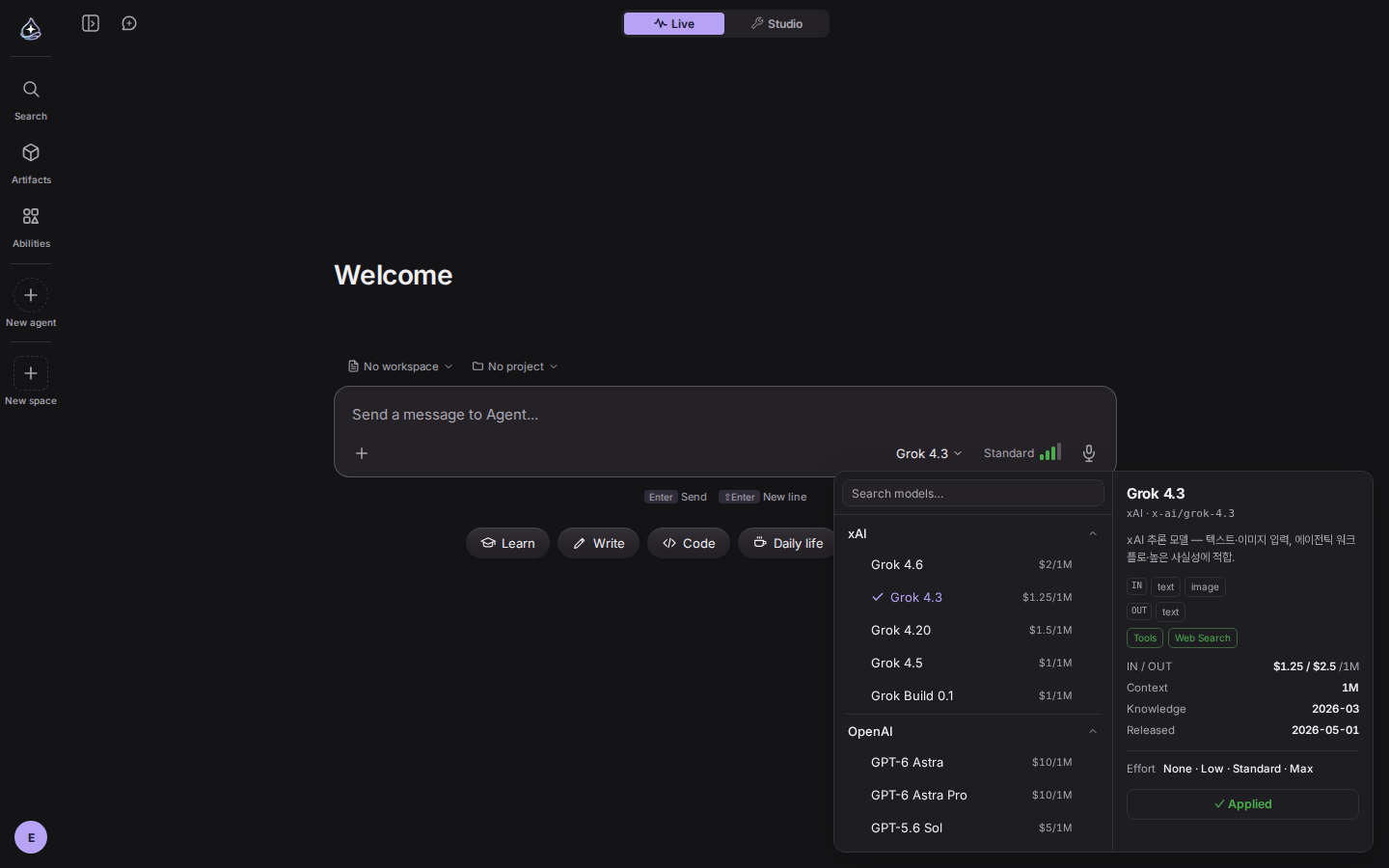
The catalog is current again. Twelve flagship models came in and five that are no longer served went out. The model the composer starts with is decided in order: conversation, project, agent, last picked, platform. Each project can set a default, and the model you picked last is stored on your account so it follows you between devices. Which models you can use depends on your plan, and when one is blocked the notice says which plan it needs. Response routing came out of the composer and now lives in Studio › Model.
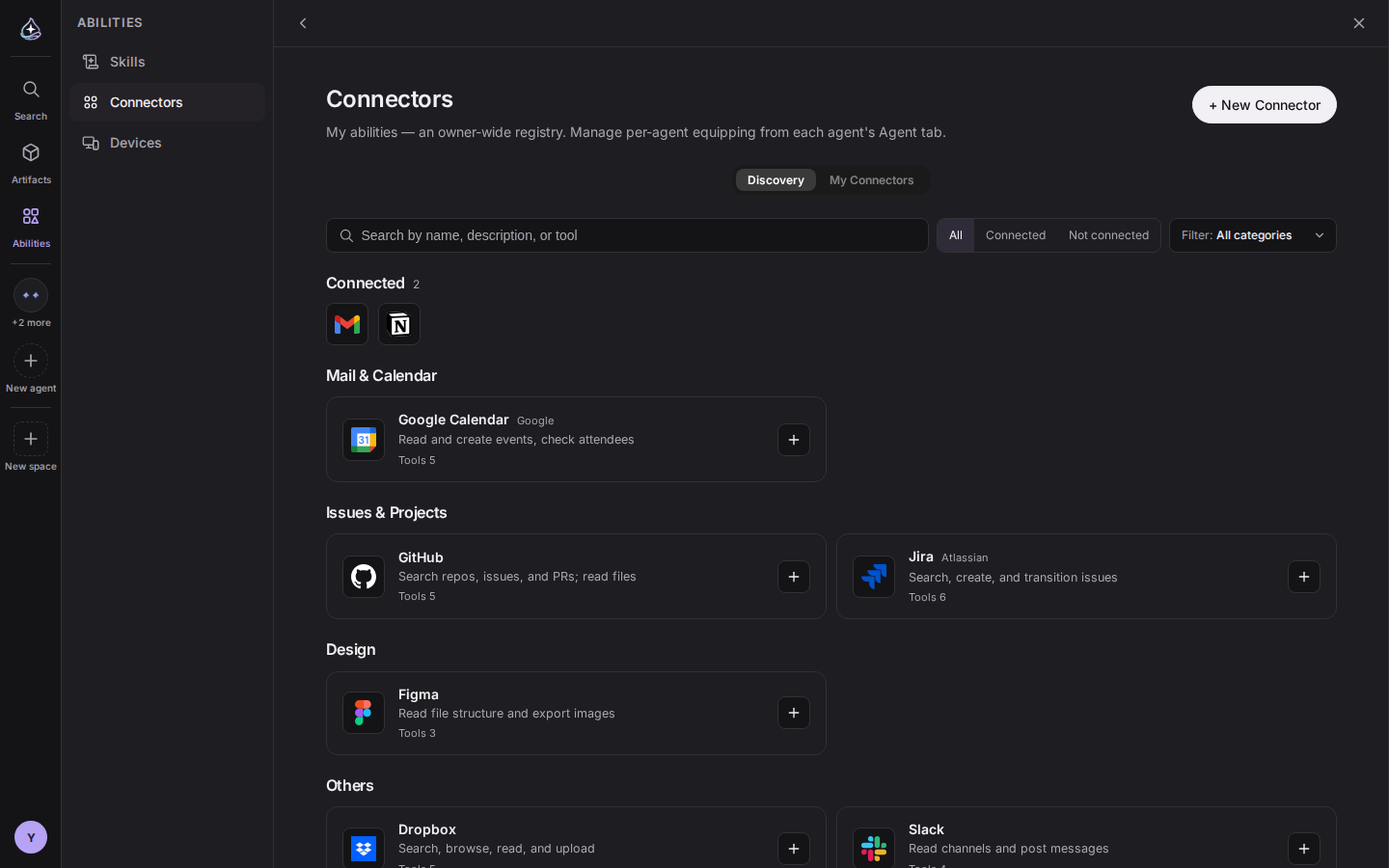
Discovery lifts the connectors you already set up to the top. Open one and the header says which account it is attached to and which agents are using it, with a jump to each. Every tool carries a description, and the service’s terms and privacy policy are linked beside it.
The skills discovery tab took 12 seconds to show its first card. Its list queries were batched and it now draws cards as they arrive, so the first one is there immediately.
Settings › Billing has credits. See your balance, pick a quantity and buy, and use a toggle to decide whether to keep going on credits once you pass your plan’s limit. When you are running low, a warning card appears at the bottom of the sidebar with a path straight to credits or an upgrade.
/me pages are retired and
the old addresses survive as deep links.endue on every surface.Sign-in, pricing, and checkout are instrumented with behavior logging. Events pass through the gateway ingress into a dedicated worker, and automated browsers are not collected. Agent handles are derived from the name and cannot change once created. Credit top-ups and spending are recorded in a ledger with idempotent indexes, so they cannot be counted twice under contention.